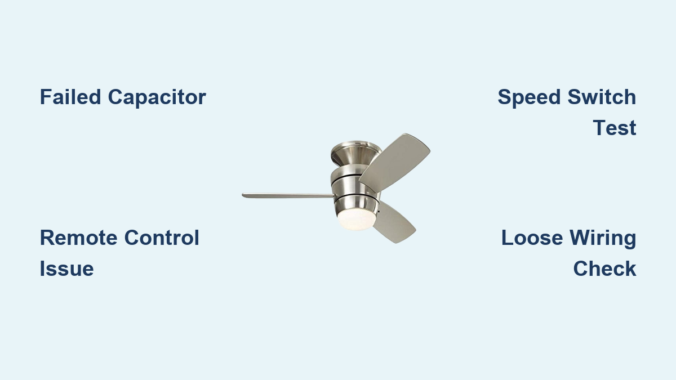
You flip the switch expecting refreshing airflow, but your Harbor Breeze ceiling fan sits motionless while the light above continues to glow perfectly—that frustrating split-personality malfunction leaves you sweltering despite having power to your fixture. This specific failure pattern—where your Harbor Breeze ceiling fan not working but light works—actually reveals something crucial about your fan’s electrical design: the light and fan operate on completely separate circuits, and something has gone wrong specifically on the fan side.
This separation isn’t a flaw—it’s intentional engineering. Modern Harbor Breeze fans route power through distinct pathways: one dedicated to the light kit and another specifically for the motor assembly. When problems develop in the fan-specific circuit, the light keeps working while the fan refuses to spin, hums loudly, or behaves erratically. The good news? This very specificity makes troubleshooting significantly easier, as you can focus your efforts on just the fan circuit components rather than the entire electrical system.
Why Your Harbor Breeze Fan Stops Spinning While the Light Still Works
Your Harbor Breeze ceiling fan not working but light works scenario occurs because ceiling fans with integrated lights contain two independent electrical paths. The light receives constant power through the black wire with neutral and ground completing the circuit, while the fan circuit operates through a separate blue wire connected to the speed control system. When an issue affects only the fan pathway, the light continues functioning normally—a clear diagnostic clue that narrows your troubleshooting focus.
This circuit separation explains why your fan may hum loudly when switched on while the blades remain stationary—the motor is receiving power but lacks the phase shift needed for rotation, typically due to capacitor failure. In other cases, the fan might start spinning but only at extremely slow speeds, or it may start and then stall repeatedly during operation. Understanding this electrical architecture prevents wasted effort checking components that aren’t causing your specific symptom pattern.
#1 Culprit: Failed Capacitor Symptoms and Diagnosis
The capacitor ranks as the most common cause of Harbor Breeze ceiling fan not working but light works scenarios. This small cylindrical component—usually tucked inside the switch housing—provides the starting torque that gets your fan blades moving by creating the necessary phase shift in the motor’s magnetic field.
When your capacitor fails, you’ll typically notice these telltale signs:
– Loud humming from the motor with blades completely stationary
– Fan starts only at the highest speed setting
– Extremely slow startup that takes several seconds to reach speed
– Fan runs normally at one speed but won’t operate at others
Before replacing your capacitor, verify failure with these steps:
1. Turn off power at the circuit breaker
2. Remove the fan canopy to access the capacitor
3. Discharge the capacitor by shorting terminals with an insulated screwdriver
4. Set multimeter to capacitance mode (or resistance)
5. Test readings against the MFD rating printed on the capacitor
Harbor Breeze capacitors typically range from 2-6 MFD—replacement must match exactly, as incorrect values can damage your motor. Universal capacitors cost $10-$25 and solve most capacitor-related fan failures.
Remote Control System Failures That Disable Your Fan Only
Many Harbor Breeze models incorporate remote control systems that can fail in ways affecting only the fan while leaving the light circuit functional. The remote system includes the handheld transmitter, receiver unit in the canopy, and sometimes a wall control—all potential failure points that specifically disrupt fan operation.
Pro Tip: Test your remote system in 60 seconds by:
– Replacing remote batteries with fresh ones
– Using your smartphone camera to check if the infrared LED flashes when pressing buttons
– Listening for clicking sounds from the receiver when pressing remote buttons
– Operating the fan with pull chains (if available) to bypass the remote system
If the fan works with pull chains but not the remote, you’ve isolated the problem to the remote system. Most receiver failures require complete replacement ($15-$50), but first ensure your remote hasn’t lost its programming—some models need resetting after power outages.
How to Test Your Harbor Breeze Fan’s Speed Switch in 5 Minutes
Speed switch defects frequently cause Harbor Breeze ceiling fan not working but light works issues, as these switches control which motor windings receive power. When internal contacts wear out or oxidize, certain speeds become unavailable while the light continues functioning normally.
Visual Inspection Checklist:
– Look for burn marks or discoloration on switch contacts
– Check for debris accumulation in switch mechanism
– Verify pull chain moves smoothly through all positions
– Ensure switch clicks distinctly at each speed setting
Testing Procedure:
1. Turn off power at breaker
2. Remove canopy to access speed switch
3. Label and disconnect wires from switch terminals
4. Set multimeter to continuity mode
5. Test between terminals as you cycle through speed positions
6. Proper switch shows continuity in each position but not between positions
If your switch shows no continuity in certain positions or continuous connection across positions, replacement is needed. Most Harbor Breeze speed switches cost $8-$20 and install in minutes with basic tools.
Essential Safety Steps Before Touching Any Wires
Never skip these critical safety steps when troubleshooting your Harbor Breeze fan:
– Turn off power at the circuit breaker—not just the wall switch
– Verify power is off using a non-contact voltage tester at the canopy
– Wait until blades have completely stopped moving if recently operated
– Use insulated tools designed for electrical work
– Have a helper present when working on ceiling fans
Attempting repairs without proper safety precautions risks severe electrical shock or falls from ladders. The few extra minutes spent ensuring safety prevent life-altering injuries. If you’re uncomfortable with any electrical work, call a licensed electrician—your safety is worth more than any fan repair.
Simple Visual Inspection That Finds 70% of Fan Problems
Before testing components electrically, perform this 5-minute visual inspection that identifies most common issues:
Step-by-Step Inspection:
1. Remove the fan canopy to access internal components
2. Check all wire connections for tightness (re-terminate loose connections)
3. Look for discoloration, melted insulation, or burnt smells indicating overheating
4. Examine capacitor for bulging, leaking, or scorch marks
5. Inspect motor leads where they connect to wiring harness
6. Verify pull chain moves freely and isn’t broken
Critical Warning: If you see any signs of melted insulation, burnt wires, or scorch marks, stop immediately and consult an electrician—these indicate serious electrical problems that could cause fire.
This simple inspection often reveals obvious problems like loose connections or failed capacitors without requiring electrical testing. Document what you find with photos before disconnecting any wires to ensure proper reconnection.
Step-by-Step Capacitor Replacement Guide
Replacing a failed capacitor solves most Harbor Breeze ceiling fan not working but light works issues. Follow this precise procedure:
- Turn off power at circuit breaker and verify with voltage tester
- Remove fan canopy to access capacitor (usually mounted near motor housing)
- Take photo of capacitor wiring before disconnecting anything
- Discharge capacitor by shorting terminals with insulated screwdriver
- Label and disconnect wires from capacitor terminals
- Remove mounting screws or bracket holding capacitor
- Install new capacitor matching original MFD and voltage ratings exactly
- Reconnect wires to corresponding terminals
- Secure capacitor with mounting hardware
- Reassemble fan and test at all speed settings
Pro Tip: When purchasing replacement, bring the old capacitor to the hardware store—many stores have reference charts matching common Harbor Breeze models to correct capacitor specifications. Universal capacitors with dual values (like 4/6 MFD) work for most Harbor Breeze fans.
When to Call a Professional vs. DIY Repair
DIY is appropriate when:
– You’re replacing simple components like capacitors or speed switches
– The fan is under 10 years old with available replacement parts
– You have basic electrical knowledge and proper tools
– Problems are isolated to the fan itself (not house wiring)
Call a professional when:
– You notice burning smells from electrical boxes
– Circuit breakers trip when fan operates
– There’s evidence of damaged house wiring
– Motor windings have failed (requires complete motor replacement)
– You’re uncomfortable with any electrical work
Professional repair costs $75-$200 in labor plus parts, but provides peace of mind and ensures safety. For fans over 15 years old with motor failures, replacement often makes more economic sense than extensive repairs.
Preventing Future Fan Failures: Maintenance Checklist
Extend your Harbor Breeze fan’s lifespan with these simple maintenance steps:
Monthly:
– Wipe dust from blade surfaces with damp cloth
– Verify blades rotate freely with no obstructions
Quarterly:
– Tighten all visible screws (blade holders, canopy, mounting hardware)
– Check for unusual noises during operation
Annually:
– Inspect wiring connections for tightness and corrosion
– Clean speed switch mechanism with electrical contact cleaner
– Lubricate motor bearings if recommended for your model
Critical Warning: Never spray liquids directly onto fan components—dampen cloth first and wring thoroughly. Moisture near electrical components causes short circuits and corrosion.
Fans in coastal areas or garages need twice as frequent maintenance due to salt air or chemical exposure accelerating component failure. Proper maintenance prevents 80% of common fan failures and extends service life by 5-10 years.
By following this targeted troubleshooting approach, you can identify and fix why your Harbor Breeze ceiling fan not working but light works—restoring cooling comfort without unnecessary part replacements. Most capacitor and remote control issues take under 30 minutes to resolve with basic tools, putting you back in control of your home’s comfort. Remember to prioritize safety throughout the process, and when in doubt, consult a professional electrician to ensure your fan operates reliably for years to come.
Leave a Reply