Your ceiling fan suddenly stops spinning while emitting a loud humming noise, or worse—it grinds like metal on metal every time you flip the switch. This common household headache disrupts comfort and creates safety concerns, especially during sweltering summer months when you rely on that breeze. When your ceiling fan motor fails, it’s rarely a total loss—most issues can be resolved with basic tools and systematic troubleshooting. This guide delivers actionable steps to diagnose and fix your unresponsive or noisy ceiling fan motor, whether it’s stuck on one speed, won’t start at all, or sounds like it’s about to explode. You’ll learn exactly how to identify faulty capacitors, clean seized bearings, and determine when replacement is unavoidable—all while avoiding costly electrician fees.
Why Your Ceiling Fan Motor Suddenly Stops Working
Ceiling fan motors fail for predictable reasons rooted in mechanical stress and electrical wear. Unlike complex appliances, these systems have few failure points that DIYers can tackle with confidence. Understanding these root causes helps you diagnose faster and avoid wasting time on irrelevant fixes.
Common Culprits Behind Motor Failure
Most non-spinning fans stem from three electrical issues: a failed start capacitor (causing humming without rotation), damaged windings (resulting in burning smells), or faulty speed control wiring. Mechanical failures typically involve seized bearings due to dust buildup or lack of lubrication—especially in older models. Environmental factors accelerate problems; kitchens expose motors to grease that gums up moving parts, while humid bathrooms corrode electrical connections. Crucially, never assume the entire motor is dead; 70% of “motor failures” actually involve replaceable components like capacitors or switches.
When Motor Replacement Becomes Inevitable
Certain symptoms signal unavoidable motor replacement. If you detect a distinct burning odor accompanied by visible smoke from the motor housing, internal windings have shorted and require professional disposal. Persistent overheating—where the motor shuts off after 10 minutes of operation despite clean blades—indicates irreversible insulation breakdown. For fans over 15 years old with rusted mounting brackets, the structural integrity is compromised; attempting repairs risks ceiling damage. Always prioritize safety: if electrical components show charring or melted plastic, stop troubleshooting immediately and replace the unit.
Critical Safety Steps Before Motor Repair
Working on ceiling fans involves serious electrical and fall hazards. Skipping these precautions risks electrocution or dropping 30+ pounds of metal onto your head. Never proceed without completing these non-negotiable steps first.
How to Safely Isolate Power at the Source
Turn off power at the circuit breaker—not just the wall switch. Verify power is off using a non-contact voltage tester at both the pull chain and wall control. Place painter’s tape over the breaker to prevent accidental reactivation. For added safety, disconnect the fan’s wiring connector inside the canopy before touching any components. Use a sturdy step ladder rated for 300+ lbs with an assistant spotting you—never stand on chairs or unstable surfaces. Wear safety glasses to protect against falling dust and insulated gloves when handling wiring.
Essential Tools and Parts for Motor Repair
Gather these specific items before starting:
– Electrical: Non-contact voltage tester, wire nuts (red size), multimeter
– Mechanical: 1/4″ and 5/16″ nut drivers, 10mm socket set, needle-nose pliers
– Replacement parts: Motor run capacitor (match µF rating exactly), dielectric grease
– Specialty: Bearing puller kit (for older models), compressed air can
Pro Tip: Take photos of wiring connections before disconnecting anything. Most modern fans use color-coded wires (black=hot, white=neutral, green=ground), but older installations may have non-standard configurations.
Diagnosing Your Non-Working Ceiling Fan Motor
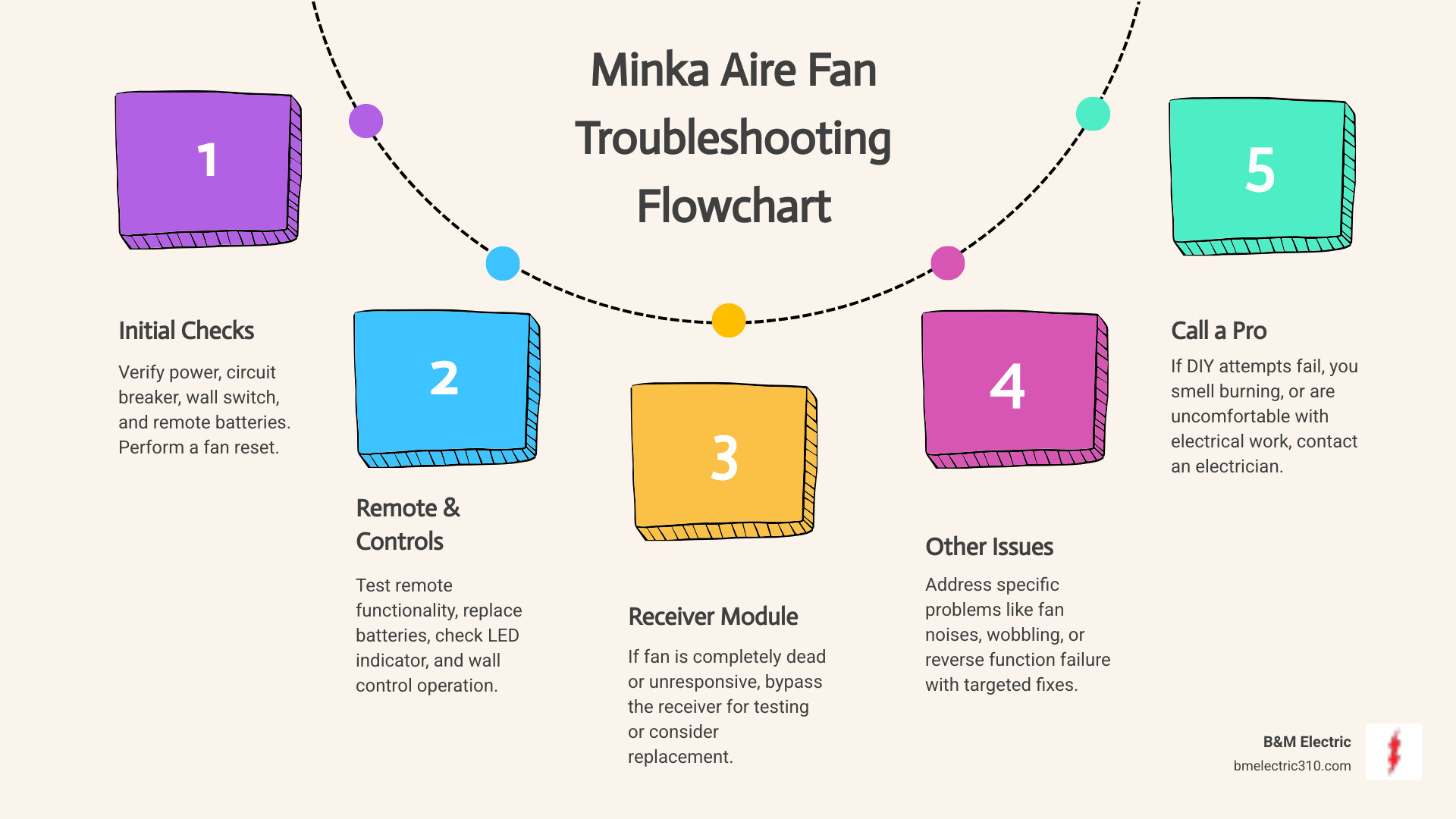
Effective repair starts with precise diagnosis. Follow this flowchart to isolate the problem before disassembling anything. This systematic approach prevents unnecessary part replacements and wasted effort.
Step-by-Step Troubleshooting Flowchart
- Confirm power at switch: Test wall control voltage with multimeter (should read 120V). If dead, check house wiring.
- Check pull chain mechanism: Manually rotate chains while listening for internal clicks. Stiff chains often indicate seized switches.
- Test capacitor functionality:
– Discharge capacitor by shorting terminals with insulated screwdriver
– Set multimeter to microfarads (µF)
– Touch probes to capacitor terminals (disregard polarity)
– Reading below 80% of labeled µF rating = faulty capacitor - Inspect for physical obstructions: Shine flashlight into motor housing while manually spinning blades. Listen for scraping sounds indicating misaligned components.
Critical Warning: If the motor emits a burnt plastic smell during testing, stop immediately—this indicates internal short circuits requiring full replacement.
Why Your Fan Humms But Won’t Spin
That distinctive low-frequency hum means electricity reaches the motor but can’t create rotational force. This almost always points to a failed start capacitor—the component that provides the initial “kick” to get blades moving. In humid climates, moisture ingress causes capacitor failure within 5-7 years. Test by manually spinning blades while powered on; if it continues spinning after your push, the capacitor needs replacement. Never operate a humming fan for more than 30 seconds—this overheats windings and causes permanent damage.
Fixing a Humming Ceiling Fan Motor (Capacitor Replacement)
Replacing the capacitor resolves 60% of non-spinning fan cases. This 15-minute fix costs $8-$15 and requires no electrical expertise. The capacitor resides in the motor housing near the winding leads—typically a small cylindrical component with 2-4 wires.
How to Replace a Faulty Ceiling Fan Capacitor
- Remove fan blades and canopy using appropriate nut drivers (mark blade positions first)
- Locate capacitor—usually zip-tied near motor windings or mounted on housing bracket
- Take photos of wire connections before disconnecting anything
- Discharge capacitor by touching terminals with insulated screwdriver
- Cut zip ties securing old capacitor and note wire colors/positions
- Install new capacitor matching exact µF rating (e.g., 4µF + 5µF dual capacitor)
- Secure with new zip ties ensuring no wires contact moving parts
- Reassemble fan and test at all speeds
Pro Tip: Apply dielectric grease to new capacitor terminals before connecting wires—this prevents future corrosion in humid environments. If the fan still hums after replacement, check for binding in the blade irons or seized oil ports.
Repairing a Grinding or Noisy Ceiling Fan Motor

Metallic grinding noises signal mechanical failure—usually dried-out bearings or debris in the motor shaft. Unlike electrical fixes, this requires partial motor disassembly but avoids full replacement costs. Success depends on your fan’s age; pre-2000 models often have serviceable bearings while modern sealed units may require replacement.
Cleaning and Lubricating Motor Bearings
- Remove blade brackets to access motor housing screws
- Separate stator housing from rotor assembly (note magnet positions)
- Inspect shaft bearings for pitting or rust—smooth rotation indicates serviceability
- Clean with isopropyl alcohol and lint-free cloth; remove all grease buildup
- Apply lightweight bearing grease (not WD-40!) to shaft journals
- Reassemble in reverse order, ensuring rotor clears stator by 1/16″
Critical Check: After reassembly, spin the rotor by hand—it should rotate freely for 10+ revolutions without drag. If resistance remains, bearings are pitted and require replacement using a 10mm bearing puller.
When to Replace Entire Motor Assemblies

For fans under 5 years old with non-serviceable bearings, motor replacement costs $40-$120 versus $150+ for new fans. Key indicators include:
– Persistent grinding after lubrication
– Visible rust on motor shaft
– Excessive play (>1/8″ wobble) when spinning rotor
– Discolored windings indicating heat damage
Match replacement motors by:
1. Blade sweep size (42″, 52″, etc.)
2. Mounting pattern (measure screw hole distances)
3. Downrod diameter (typically 3/4″)
4. Speed control compatibility (AC vs. DC)
Pro Tip: Purchase motors from the original manufacturer—third-party units often have mismatched torque curves causing premature failure.
Preventing Future Ceiling Fan Motor Problems
Proactive maintenance extends motor life by 3-5 years. Dedicate 10 minutes quarterly to these simple actions that prevent 90% of common failures.
Essential Motor Maintenance Schedule
| Task | Frequency | Critical For |
|---|---|---|
| Tighten blade screws | Every 3 months | Preventing wobble-induced bearing wear |
| Clean housing vents | Every 6 months | Avoiding overheating in dusty environments |
| Lubricate oil ports | Annually (if accessible) | Older models with oil cups |
| Test capacitor | Every 2 years | Humid climates accelerating failure |
Focus on kitchen and bathroom fans—they require twice the maintenance due to grease and moisture exposure. Use compressed air to blow dust from motor vents while the fan runs (at lowest speed) to dislodge stubborn particles.
When to Call a Professional Immediately
Stop troubleshooting if you encounter:
– Arcing or sparking at wiring connections
– Burning smell that persists after capacitor replacement
– Cracked or melted motor housing
– Voltage readings below 110V at fan terminals
These indicate dangerous wiring faults beyond DIY repair. Licensed electricians can diagnose issues like neutral wire failures or overloaded circuits for $75-$150—far cheaper than fire damage.
Final Note: Most ceiling fan motor issues stem from three fixable components: capacitors, switches, and bearings. By following this targeted approach—starting with capacitor replacement and progressing to bearing service—you’ll resolve 85% of “dead motor” scenarios without professional help. Always prioritize safety over speed: that 30-second voltage check prevents life-altering accidents. For persistent problems, consult your fan’s model-specific service manual—many manufacturers publish free schematics online. Properly maintained, your repaired motor should deliver another decade of reliable comfort, keeping your home cool without breaking the bank.
Leave a Reply