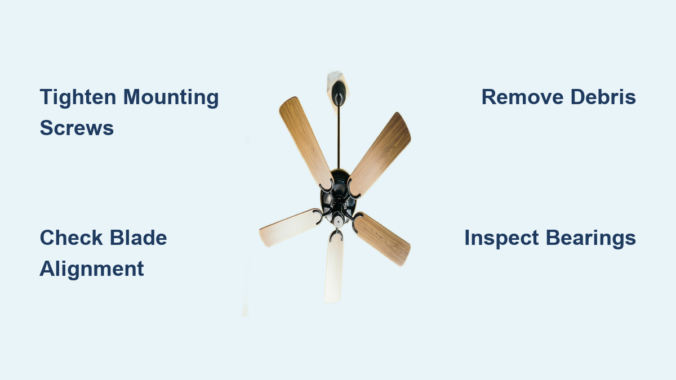
That irritating scraping sound from your ceiling fan can transform a peaceful room into a constant source of frustration. When your ceiling fan making scraping noise becomes a regular occurrence, it’s more than just annoying—it could signal developing problems that might lead to complete fan failure if ignored. Many homeowners mistakenly think a scraping noise means their fan is beyond repair, but in most cases, this common issue has straightforward solutions you can handle yourself with basic tools and about 30 minutes of your time.
The scraping sound typically indicates physical contact between moving and stationary parts that shouldn’t be touching. This problem affects ceiling fans of all ages and price points, from budget models to high-end designer fixtures. Understanding why your ceiling fan makes that grating noise is the first step toward restoring quiet operation and extending your fan’s lifespan. In this guide, you’ll discover exactly where to look for the problem, how to safely diagnose the cause, and step-by-step solutions to eliminate that scraping sound for good—without needing to call a professional in most cases.
How to Locate the Exact Source of Your Fan’s Scraping Sound

Before attempting any repairs, you must pinpoint exactly where the scraping noise originates. Many homeowners waste time tightening components that aren’t the actual problem because they skip this crucial diagnostic step. Start by turning off your fan at the wall switch and waiting for all movement to stop completely—never attempt to inspect a moving fan.
Visual Inspection for Obvious Issues
With the fan completely stopped, use a sturdy ladder to get eye-level with the fan blades. Carefully examine the space between each blade and the ceiling mount housing, looking for any visible contact points. Check if any blades appear bent or warped, which commonly happens when furniture is bumped into the fan or during cleaning. Run your fingers along the edge of each blade to feel for cracks or damage that might cause vibration. Don’t forget to inspect the light fixture housing if your fan includes lighting—sometimes the scraping occurs between the light kit and fan housing rather than with the blades themselves.
Systematic Testing to Identify the Noise Pattern
After your visual inspection, it’s time for controlled testing. Turn the fan on at the lowest speed setting and stand directly beneath it. Listen carefully to determine if the scraping occurs with each rotation (indicating a blade problem) or intermittently (suggesting a loose component). Mark one blade with tape and watch it as it rotates to see if the noise coincides with that specific blade’s position. Try operating the fan with the light kit removed if applicable—this eliminates the light assembly as a potential noise source. Pay attention to whether the scraping worsens at higher speeds, which typically indicates an imbalance issue rather than a simple obstruction.
Tightening Loose Components That Cause Ceiling Fan Scraping
Loose mounting hardware accounts for nearly 40% of all ceiling fan noise complaints. When screws connecting the fan motor to the mounting bracket or blades to the blade irons become loose, they create vibration that manifests as scraping or rattling sounds.
Securing the Fan Mounting System
Begin by turning off power at the circuit breaker—not just the wall switch—to ensure safety. With the power confirmed off, gently try to wiggle the entire fan unit. If you feel movement beyond slight give, the mounting bracket has likely come loose from the electrical box. Using a socket wrench, tighten the mounting screws that secure the fan to the ceiling bracket. Check the canopy cover screws as well, as loose canopy screws often create noise that sounds like scraping. Never overtighten, as this can strip the threads in the electrical box.
Blade Attachment Points Requiring Attention
Each blade connects to the motor housing via blade irons or brackets that commonly loosen over time. With the fan stationary, check each blade attachment point by trying to wiggle the blade where it meets the motor housing. Tighten any loose screws using the appropriate screwdriver, but be careful not to crack the plastic components. If screws won’t tighten because the holes have become stripped, remove the blade and fill the hole with wood glue and a toothpick before reinserting the screw. Allow the glue to dry completely before operating the fan again.
Removing Debris Causing Your Ceiling Fan to Scrape

Dust accumulation and foreign objects frequently cause scraping noises as they create imbalances or physical obstructions in the fan’s rotation path. This problem worsens during seasonal transitions when fans that have been dormant collect significant dust buildup.
Safe Cleaning Methods for Dust-Clogged Fans
Turn off power at the breaker and allow the fan to stop completely before cleaning. Use a vacuum cleaner with a brush attachment to remove loose dust from blades, motor housing, and light fixtures. For stubborn buildup, dampen a microfiber cloth with warm water (never spray liquid directly onto the fan) and wipe each component carefully. Pay special attention to the area where the blades rotate closest to the motor housing—this is where dust bunnies most commonly accumulate and cause scraping sounds. Avoid using furniture polish or oil-based cleaners that can create slippery residue attracting more dust.
Identifying and Removing Foreign Objects
Occasionally, small objects like paper clips, rubber bands, or even children’s toys become lodged in the fan mechanism. After power is disconnected, use a flashlight to inspect the motor housing interior for any foreign objects. If you spot something stuck, use needle-nose pliers to carefully remove it—never use your fingers near the motor components. Check between the blades and light kit housing as well, as items can become trapped there during cleaning or redecorating activities.
When Worn Bearings Create Scraping Noises in Ceiling Fans
Bearing wear produces a distinctive grinding or scraping sound that changes with fan speed. Unlike loose components that create intermittent noise, bearing issues generate consistent scraping that worsens over time. This problem is more common in fans older than five years or units exposed to excessive moisture like those in bathrooms or covered porches.
Recognizing Bearing Failure Symptoms
Bearing problems typically start as a faint scraping that becomes louder and more pronounced over weeks or months. The noise persists across all speed settings and may be accompanied by slight wobbling of the entire fan unit. You might also notice the fan takes longer to reach full speed or struggles to maintain consistent rotation. Unlike debris-related scraping, bearing noise won’t improve after cleaning the fan.
Temporary Solutions While Planning Replacement
While bearing replacement requires significant disassembly that many homeowners aren’t equipped to handle, you can temporarily reduce the noise. Apply a small amount of lightweight machine oil (not WD-40) to the seam between the motor housing and downrod. Operate the fan on low speed for 10 minutes to work the lubricant into the bearings. This might quiet the scraping for several weeks, but understand this is a temporary fix—eventually you’ll need to replace the fan motor or entire unit if the bearings have failed.
Replacing Damaged Blades That Cause Scraping Noises

Cracked, warped, or unbalanced blades create uneven air movement that forces the fan to wobble, causing blades to scrape against stationary parts. This problem often starts after accidental impacts from furniture, cleaning tools, or during ceiling work.
Identifying Problem Blades Through Inspection
With the fan off, measure the distance from the tip of each blade to the ceiling using a ruler or tape measure. Blades should maintain consistent distance throughout rotation—if one blade measures differently when rotated to the same position, it’s warped. Visually inspect each blade for hairline cracks along the edges or where the blade attaches to the bracket. Run your fingers along the blade surface to feel for subtle warping that might not be visible.
Step-by-Step Blade Replacement Process
Purchase replacement blades matching your fan model—never mix different blade styles or materials on the same fan. Turn off power at the breaker and remove the problematic blade by unscrewing its attachment points. Before installing the new blade, balance it against a known good blade by placing both on a flat surface to ensure identical curvature. Attach the new blade using thread-locking compound on the screws to prevent future loosening, but don’t overtighten. After installation, run the fan on low speed to verify the scraping noise has stopped before restoring full power.
When to Call a Professional for Your Scraping Ceiling Fan
While most scraping noises have DIY solutions, certain situations require professional intervention. Electrical issues or structural problems with the mounting system pose serious safety risks that shouldn’t be handled without proper training.
Warning Signs Indicating Professional Help Is Needed
Contact an electrician immediately if you notice any of these red flags: burning smells accompanying the scraping noise, visible sparks from the fan housing, the fan wobbling excessively (more than 1/4 inch), or if the mounting bracket shows signs of pulling away from the ceiling. Fans installed in vaulted ceilings or those weighing more than 35 pounds should always be serviced by professionals due to the increased risk of falls.
Cost Considerations for Professional Repair Versus Replacement
Professional ceiling fan repair typically costs $150-$300, while replacement units start around $80 for basic models. If your fan is older than 10 years or the repair estimate exceeds 50% of a comparable new fan’s cost, replacement is usually more economical. Many electricians offer free estimates for fan repairs, so don’t hesitate to get a professional opinion when safety concerns exist.
Final Note: Regular monthly dusting and bi-annual tightening of all visible screws can prevent most scraping noises from developing. Keep a small toolkit specifically for fan maintenance near your cleaning supplies so you can address minor issues before they become major problems. If you’ve followed these steps and your ceiling fan making scraping noise continues, the issue likely requires motor replacement—which often makes purchasing a new energy-efficient model the smarter long-term investment. Always prioritize electrical safety: when in doubt, turn off the power at the breaker and consult a professional.
Leave a Reply