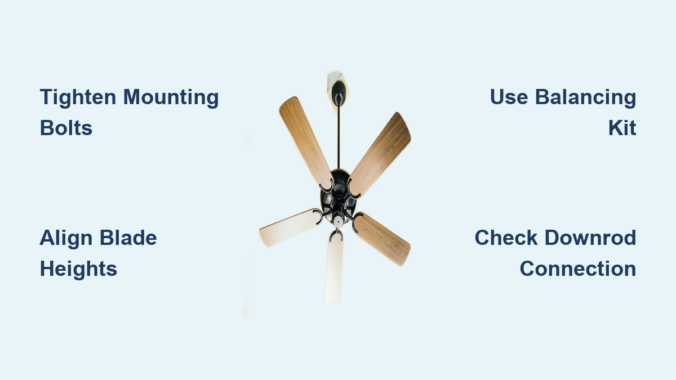
That irritating wobble in your ceiling fan isn’t just annoying—it’s a warning sign that something needs attention. As you try to relax in your living room or bedroom, that rhythmic shaking creates distracting rattles and can even damage your fan over time. The good news? Most wobble issues can be diagnosed and fixed with basic tools in under an hour. Whether your fan is brand new or has been spinning reliably for years, you don’t need to call an electrician for this common household problem. This guide gives you the step-by-step process to eliminate wobble and restore smooth, quiet operation to your ceiling fan.
Before grabbing your tools, understanding why your fan wobbles helps you target the right solution. Ceiling fans develop wobble for specific reasons, and identifying the root cause saves you time during troubleshooting. Most cases involve loose components that shift slightly with each rotation or misaligned blades that throw off the entire system’s balance. Let’s get your fan running steady again with these proven methods.
Why Your Ceiling Fan Wobbles Despite Tight Screws
Many homeowners tighten all visible screws only to find the wobble persists, leaving them frustrated and confused about what’s really causing the problem.
Hidden Loose Connections Cause Persistent Wobble
While blade screws are the most obvious culprits, wobble often stems from connections you can’t see without removing the fan’s canopy. The mounting bracket securing your fan to the ceiling electrical box frequently loosens over time, especially in homes where ceiling joists have settled. This creates movement at the very foundation of your fan installation. The downrod connecting the motor to the mounting bracket can also work loose at both ends, allowing subtle shifting that manifests as wobble.
Blade alignment issues often masquerade as simple looseness. Even if all screws are tight, blades sitting at slightly different heights create uneven air distribution that results in visible wobble. A single bent blade—perhaps from accidental contact during cleaning—throws off the entire balance system, making the fan appear loose when the components are actually secure.
How to Identify the True Source of Wobble
Watch your fan while running on medium speed to diagnose the wobble source. If the entire fixture sways side to side, the mounting system needs attention. If the wobble seems to originate from the blades themselves—with some parts dipping lower during rotation—your blade alignment needs correction.
Listen carefully as well. A properly functioning ceiling fan produces only a gentle whooshing sound. Grinding, clicking, or rattling noises accompanying the wobble indicate specific loose components. Addressing wobble early prevents accelerated wear on motor bearings and mounting hardware, extending your fan’s lifespan significantly.
Power Safety Steps Before Fixing Your Fan
Before touching any component of your wobbly ceiling fan, you must disconnect electrical power completely—this step is non-negotiable and should never be skipped.
Proper Circuit Breaker Identification
Find the circuit breaker controlling power to your fan’s room. Most homes have dedicated breakers for ceiling fans, though some circuits control multiple areas. If uncertain which breaker controls the fan, flip breakers one at a time while a helper watches the fan below—the fan stops when you’ve found the correct breaker.
Once identified, switch the breaker to OFF and verify power is disconnected. Simply turning off the wall switch isn’t sufficient, as some fans maintain constant power for remote control receivers or light kits, leaving live wires inside the canopy.
Essential Voltage Verification Process
Even after turning off the breaker, use a non-contact voltage tester to confirm no electricity reaches the fan’s wiring. Remove the canopy and carefully test the wires inside—the tester should indicate no voltage. If it lights up or beeps, you’ve turned off the wrong breaker.
Keep the breaker off throughout your repair. Label it to prevent accidental restoration of power by others in your household. Working with a helper is recommended, especially when using a ladder, to provide assistance if complications arise.
Blade Alignment Correction Method

If tightening all visible screws hasn’t resolved your wobble, the blades themselves likely need realignment—a common issue that’s easily fixed with basic tools.
Precise Blade Height Measurement Technique
Use a tape measure to check the distance from the ceiling to each blade tip. With the fan turned off, measure from your ceiling down to each blade tip at its lowest point. All measurements should be within one-eighth inch of each other. If one blade sits noticeably lower, you’ve identified your wobble source.
A blade sitting too low often indicates a bent blade arm rather than an adjustment issue. Attempting to bend it back risks cracking brittle plastic components. Instead, note which blade arm needs replacement and measure from the mounting point to the blade tip before purchasing a replacement.
Effective Balancing Kit Application
Ceiling fan balancing kits (under $10) solve most residual wobble after tightening and alignment. These kits include a plastic clip that attaches to the blade top and small adhesive weights.
Turn your fan on high speed and observe which blade dips lowest. Clip the balancing clip to that blade’s top near the tip and test again. If wobble continues, move the clip inward toward the motor and retest. Once wobble minimizes, attach the weight at the clip position using the adhesive backing. Run the fan through all speed settings to verify smooth operation.
Mounting Bracket Stability Check
The mounting bracket anchors your entire fan assembly to the ceiling, and any looseness here translates directly to visible wobble during operation.
Comprehensive Bracket Bolt Tightening
Locate all bolts securing the mounting bracket to the ceiling electrical box and to any downrod. These bolts typically use lock washers that can degrade over time. Tighten each bolt with an appropriately sized wrench, working in pairs of opposite bolts to maintain even pressure.
Check that the electrical box itself is securely fastened to a ceiling joist—if the box moves when pushed, it must be reinforced before your fan can operate wobble-free. Many wobble issues stem from inadequate electrical boxes that weren’t designed to support ceiling fan weight and movement.
Critical Bracket Alignment Verification
Hold a small level against the bracket arms to verify they point straight down. If the bracket tilts, loosen the mounting bolts slightly and adjust its position until level, then retighten securely.
For sloped ceilings, verify that the correct sloped-ceiling mounting kit was used. Standard mounting brackets on angled ceilings create inherent wobble that requires special angled mounts to correct. The bracket must hang perpendicular to the floor regardless of ceiling angle.
Downrod Connection Troubleshooting
For fans with downrods (most standard installations), the connection between downrod and motor housing requires careful inspection during wobble troubleshooting.
Downrod Thread Inspection and Tightening
Remove the canopy and visually inspect the threaded junctions where the downrod connects to both the motor housing and mounting bracket. The downrod should seat fully with no visible threads showing where it enters the motor housing.
If threads are visible, hold the downrod while loosening the set screw, then rotate the motor housing clockwise to tighten the threaded connection. For downrods with pre-attached balls, ensure the ball is fully seated in the mounting bracket socket and the retaining pin is properly installed.
Optimal Downrod Length Selection
An improperly sized downrod for your ceiling height can contribute to wobble. Standard installations use downrods between three and five inches, with longer rods for ceilings exceeding nine feet.
If your fan has always wobbled since installation, the downrod length may be incorrect. Consult your fan’s installation manual for recommended downrod lengths based on ceiling height, and consider trying a different length if other fixes haven’t resolved the wobble.
When to Replace Critical Components

Some wobble issues require component replacement rather than adjustment, particularly when parts are damaged, worn, or incompatible with your installation.
Bearing Wear Identification and Resolution
If your fan wobbles despite all adjustments and the motor feels rough when spun by hand, the motor bearings may be wearing out. Signs include grinding sounds, excessive heat from the motor after running, and visible shaft play when attempting to rock the motor hub.
Unfortunately, replacing motor bearings requires specialized tools, making professional repair or fan replacement more practical than DIY bearing replacement for most homeowners. Once bearings reach this condition, the fan typically requires complete replacement.
Mounting Hardware Upgrade Necessity
Fans over fifteen years old often wobble due to outdated mounting hardware that doesn’t meet current safety standards. Upgrading to a new fan-rated electrical box and compatible mounting bracket often eliminates wobble that adjustment alone cannot fix.
Consider replacing the entire fan if parts are discontinued for your model. Modern fans run more quietly, consume less energy, and often include helpful features like remote controls that older models lack.
Quarterly Wobble Prevention Routine
Once you’ve eliminated wobble, taking preventive measures keeps it from returning and extends your fan’s operational lifespan.
Essential Maintenance Schedule
Every three months, turn off your fan and perform a quick visual and tactile inspection of all accessible fasteners. Tighten any screws that have loosened since your last inspection, and check for rust or corrosion on metal components. This simple maintenance takes less than five minutes.
Pay particular attention to blade screws, as these loosen most frequently. A quarter-turn of additional tightening during each quarterly inspection keeps these critical fasteners secure without risking overtightening.
Household Wobble Prevention Education
Teach household members to avoid touching ceiling fans while spinning, as this contact bends blades and creates immediate imbalance. If you need to stop the fan quickly, use the pull chain or remote control rather than reaching up.
Keep furniture and objects clear of the blade path. A chair bumped into a spinning blade or an object stored near the fan’s reach can bend blades over time. Maintaining clearance around your ceiling fan prevents accidental damage that causes wobble.
A wobbly ceiling fan disrupts your comfort and signals developing mechanical issues that deserve prompt attention. By following these troubleshooting steps—starting with simple tightening and progressing through blade alignment and mounting checks—you can restore smooth, quiet operation to virtually any residential ceiling fan. Remember that safety always comes first: verify power is disconnected before touching any fan components, and don’t hesitate to call a licensed electrician for electrical concerns. Regular inspection and gentle treatment keep your ceiling fan running steadily for years to come, providing comfortable, efficient cooling without the distracting motion of unbalanced blades.
Leave a Reply