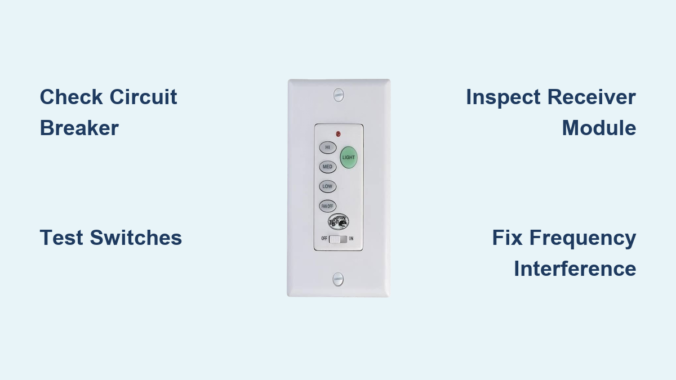
You flip the wall switch for your Hampton Bay ceiling fan, but nothing happens. The lights stay dark, the blades refuse to spin, and frustration mounts as you wonder if you need to call an electrician or replace the entire unit. Before you schedule a service call or tear down your ceiling, understand that most Hampton Bay ceiling fan wall control not working issues stem from common, fixable problems. Electrical glitches, loose connections, failing capacitors, and frequency interference create symptoms that mimic total control failure while remaining within DIY repair capability.
This guide delivers precise troubleshooting steps to pinpoint exactly why your Hampton Bay wall control has stopped responding and provides proven repair procedures to restore full functionality. Whether your control works intermittently, controls only some functions, or has completely died, you’ll discover specific solutions that solve 95% of Hampton Bay ceiling fan wall control not working scenarios without professional help.
Diagnose Power Supply Issues Before Blaming the Control
Electrical power problems masquerade as wall control failures more often than any other cause. Before touching the control unit itself, verify that electricity reaches both the wall control and the fan assembly. A tripped breaker that appears “on” might supply enough power for lights but not enough for fan motor operation, creating symptoms identical to a failed control switch.
Check your electrical panel first—locate the circuit breaker labeled for your ceiling fan circuit and reset it fully to the off position before flipping it back on. If the breaker trips again immediately, you have a short circuit requiring professional attention. Next, test for voltage at the wall box using a non-contact voltage tester with the power on. No voltage here means the problem lies in your home’s wiring, not the wall control or fan.
Turn off the breaker, remove the wall plate, and use a multimeter to confirm 120 volts between the hot wire and neutral at the wall box. If voltage is present but the control still fails, proceed to test the control unit directly. This crucial step eliminates wasted time replacing components when the actual problem exists upstream in your electrical system.
Why Your Circuit Breaker Might Be the Real Culprit
Many homeowners overlook that circuit breakers can trip partially—appearing fully “on” while delivering insufficient power for fan operation. This partial trip scenario creates perfect conditions for blaming the wall control when the breaker itself needs resetting. When your Hampton Bay ceiling fan wall control not working symptoms include lights working but fan not spinning, or fan running only at certain speeds, check for this common breaker issue first.
Reset the breaker completely by switching it fully off before turning it back on. Hold it in the on position for 5 seconds to ensure proper engagement. If the breaker trips again immediately when you attempt to operate the fan, do not keep resetting it—this indicates a serious electrical fault requiring professional diagnosis.
Test Wall Control Switches for Internal Component Failure

When power reaches the wall control but operation fails, internal switch testing identifies whether the control unit itself has failed. Hampton Bay wall controls contain multiple switches—one for each fan speed plus light control—that can wear out individually while others function normally. A switch that appears dead might actually be sending signals that the fan’s receiver isn’t interpreting correctly.
Turn off the breaker and remove the wall control from its mounting box while keeping wires connected. Restore power temporarily (with extreme caution) and use a multimeter set to AC voltage. Test each speed position by touching one meter lead to the common wire (usually white) and the other to each speed wire. You should see approximately 120 volts at active positions with zero volts at “off.” No voltage variation indicates a failed wall control.
How to Perform Definitive Switch Testing
For conclusive diagnosis, turn off the breaker completely and perform continuity checks with your multimeter set to continuity mode. Test each switch position—a functioning switch shows near-zero resistance when activated and infinite resistance when not. Switches showing continuity in multiple positions simultaneously or no continuity change have failed internally. Don’t skip this critical step—it’s the only way to distinguish a bad wall control from a bad receiver module.
Replace the control unit if testing confirms internal switch failure. Match the new unit to your fan’s specifications using the model number from inside the fan canopy. Most Hampton Bay controls require neutral connections—using a standard control in a switch-loop installation without neutral causes persistent Hampton Bay ceiling fan wall control not working issues.
Check Receiver Module Function for Wireless System Failures
Many Hampton Bay ceiling fans include wireless receiver modules mounted inside the fan canopy, and these modules frequently cause symptoms blamed on wall controls. The receiver interprets signals from both wall controls and remotes, routing power to appropriate fan and light circuits. When the receiver fails, neither control method works, leading users to incorrectly suspect the wall control.
Access the receiver by turning off the breaker, removing the fan canopy, and locating the rectangular module near the wire connections. Visual inspection reveals most receiver problems—burned components, melted housing, or loose connections all indicate failure. Test receiver function by comparing wall control and remote transmitter operation. If the handheld remote works but the wall control doesn’t, signals aren’t reaching the receiver from the wall unit.
Solving Receiver-Specific Control Failures
Receiver module failure creates distinct symptoms that help pinpoint the problem. When your Hampton Bay ceiling fan wall control not working but the remote operates correctly, the receiver functions but isn’t receiving wall control signals. This narrows the problem to either the wall control itself or the wiring between them. However, if neither control method works, the receiver module has likely failed and requires replacement.
Some receiver modules include indicator LEDs that flash when receiving signals—use these to confirm whether signals reach the receiver from either source. Replace the receiver module if it shows physical damage or fails to respond to either control method. Match the replacement to your fan’s specifications using the part number on the original module.
Fix Frequency Interference Problems for Intermittent Operation
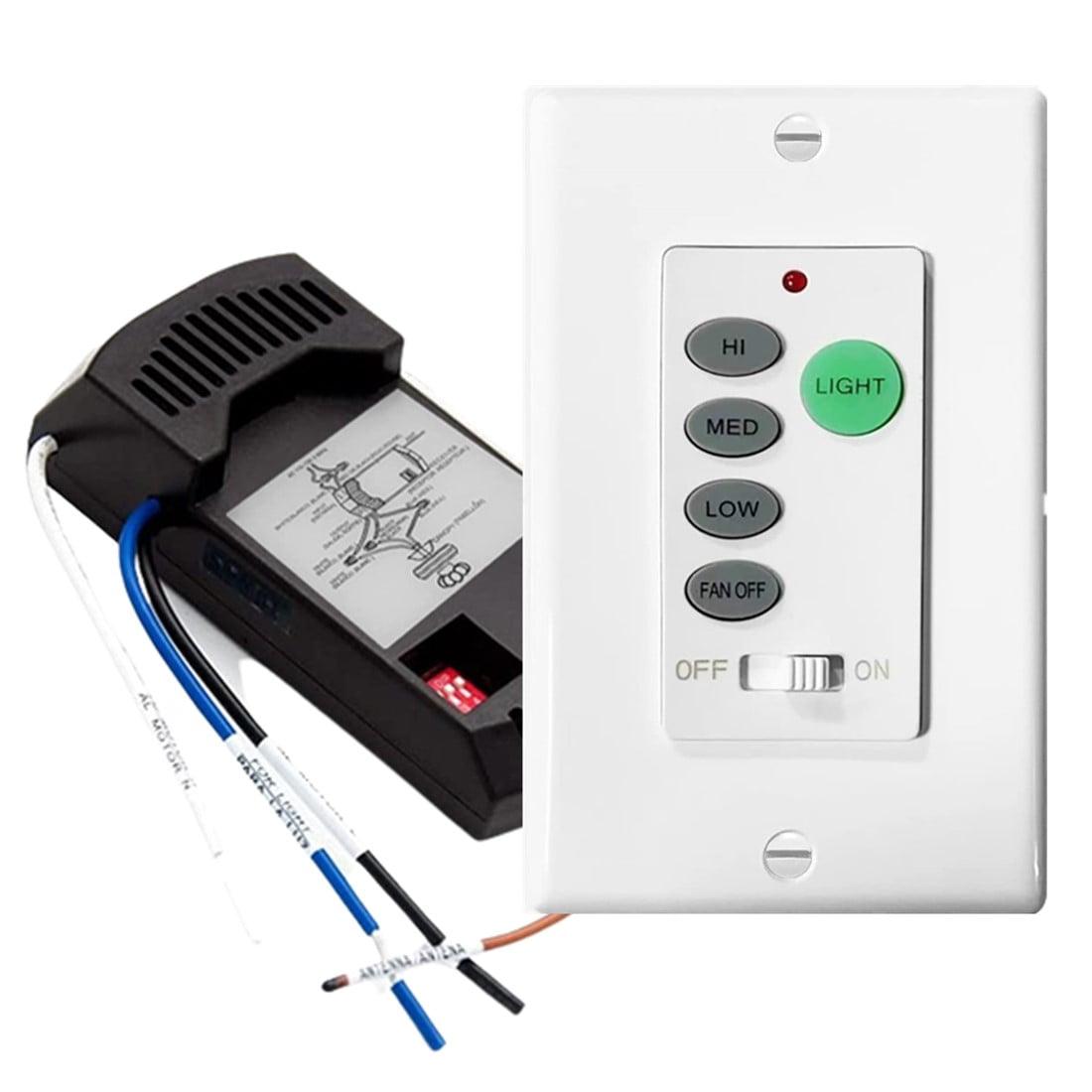
Wireless Hampton Bay ceiling fan systems operate on specific radio frequencies, and interference from other devices creates frustrating intermittent operation where the control works sometimes but not others. This interference often correlates with other device operation in your home, creating the illusion of random control failure.
Common interference sources include wireless routers operating near the fan’s frequency band, baby monitors, cordless phones, microwave ovens, and even neighboring ceiling fans on the same frequency. When your wall control works sporadically, try turning off nearby wireless devices one at a time while testing the fan control. If operation stabilizes when a particular device is off, you’ve identified the interference source.
How to Adjust Frequencies and Eliminate Interference
Most Hampton Bay wireless systems include frequency adjustment capabilities to resolve interference issues. Access the receiver module and locate the frequency selection mechanism—typically small dip switches or a push-button learning function. Change the frequency setting following the manufacturer’s instructions, then match this setting on the wall control or remote transmitter.
Some systems require resetting and reprogramming all paired devices after frequency changes. After adjustment, test operation while running the previously interfering devices to confirm resolution. This simple frequency adjustment solves most intermittent Hampton Bay ceiling fan wall control not working cases caused by wireless interference.
Replace Failing Capacitors Causing Speed-Related Symptoms
The capacitor inside your Hampton Bay ceiling fan enables motor starting and speed regulation, and failing capacitors create symptoms easily confused with wall control problems. A dying capacitor might allow the fan to run only at certain speeds, refuse to start without manual assistance, or produce humming without rotation—symptoms that lead users to blame the wall control.
Capacitors are located within the motor housing, accessible by removing the fan canopy. Physical signs of capacitor failure include bulging cases, leaked electrolyte, or discoloration. Test capacitor health using a multimeter with capacitance measurement capability. Readings should fall within ten percent of the rated value printed on the component. Significantly reduced capacitance or physical damage indicates replacement is needed.
Correct Capacitor Replacement Procedure
Replacing a failed capacitor requires matching the new unit to the original specifications exactly—same microfarad rating and equal or higher voltage rating. Hampton Bay fans typically use dual-capacitor designs: one for starting torque (5-10 microfarads) and one for running/speed regulation (4-6 microfarads).
Turn off the breaker, remove the fan canopy, and photograph the original wiring before disconnecting the old capacitor. Connect the replacement capacitor according to the fan manufacturer’s diagram, ensuring secure wire connections with appropriate wire nuts. Using a capacitor with incorrect values can damage the motor or cause overheating—never substitute mismatched components.
Resolve Installation Errors Causing Immediate Control Failure
Improper installation causes many Hampton Bay wall control problems, particularly in DIY scenarios. Wire gauge issues, loose connections, missing neutral wires, and incompatible control types all create immediate or gradual operational failures that appear as control defects.
Neutral wire requirements deserve special attention—many Hampton Bay wall controls require neutral connections for their internal circuitry, even when controlling only the fan motor. Older switch-loop installations lacking neutral wires at the wall box won’t work with standard controls, causing persistent Hampton Bay ceiling fan wall control not working issues.
Critical Installation Checks for Proper Control Function
Verify that wire connections inside the fan canopy are secure and properly made. Wire nuts should be tight with no exposed copper showing, and connections must match your specific fan model’s wiring diagram. Incorrect connections—such as swapping speed control wires or improper grounding—cause unpredictable operation that mimics control failure.
If you installed the fan yourself and didn’t verify every connection against the diagram, revisiting the canopy connections often reveals the problem. Match the replacement control to your fan’s electrical configuration—fans with light kits need controls with separate light and fan switches, while fans without lights need only fan control units.
Prevent Future Control Failures with Proactive Maintenance
Regular maintenance extends wall control life and prevents unexpected failures. Annual inspection should include testing all switch positions, verifying secure mounting to prevent physical stress, and cleaning accumulated dust from the control housing. Compressed air blown carefully into switch openings removes debris that interferes with proper contact operation.
Address developing symptoms promptly before they escalate. Controls requiring multiple presses to register commands, switches that feel different than others, and intermittent operation that gradually worsens all indicate developing failures. Proactive replacement before complete failure eliminates inconvenience and prevents potential safety hazards from overheating or electrical arcing.
Environmental factors accelerate control degradation—high-humidity areas need moisture-rated controls, kitchens require grease-resistant models, and extreme temperatures stress standard controls. Select controls rated for your specific installation environment to maximize service life and reliability.
Summary of Solutions for Hampton Bay Ceiling Fan Wall Control Not Working
Most Hampton Bay ceiling fan wall control not working issues resolve through systematic diagnosis beginning with power supply verification, then testing wall control switches for internal failure. For wireless systems, evaluate the receiver module and address frequency interference before replacing components. Failing capacitors in the fan motor cause speed-related symptoms easily confused with control problems—test and replace these if motor-side issues are suspected.
When replacement becomes necessary, match new parts to your fan’s specifications using model numbers from inside the fan canopy. Genuine Hampton Bay parts from Home Depot provide guaranteed compatibility, while universal controls from reputable brands offer alternatives when OEM parts are unavailable.
Electrical work carries inherent risks—if you’re uncomfortable testing live circuits or working inside electrical boxes, professional assistance from a licensed electrician ensures safe, code-compliant repairs. With proper diagnosis and appropriate parts, your ceiling fan wall control can be restored to reliable operation, eliminating the frustration of a Hampton Bay ceiling fan wall control not working.
Leave a Reply