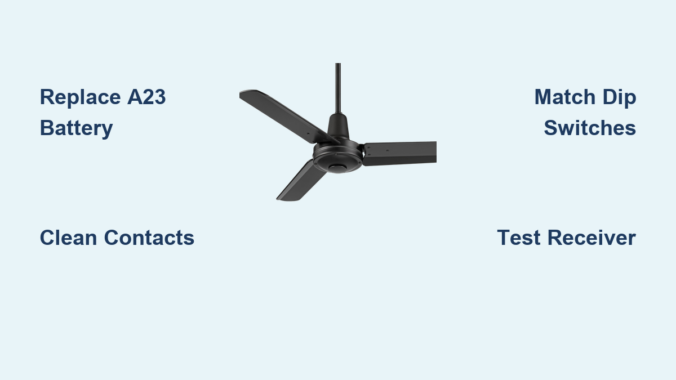
You’re standing under your Casa Vieja ceiling fan on a sweltering afternoon, pressing every button on the remote, but nothing happens. This frustrating scenario affects hundreds of homeowners each year who suddenly find their Casa Vieja ceiling fan remote not working when they need it most. The causes range from simple battery issues to complex receiver failures, but systematic troubleshooting can restore your comfort without professional help. Understanding why your remote stopped functioning—and knowing how to diagnose each potential cause—saves time, money, and prevents unnecessary replacement of working components.
This comprehensive guide walks you through every possible failure point specific to Casa Vieja fans. Whether your remote stopped working after a thunderstorm, shows only partial functionality, or refuses to integrate with smart home systems, you’ll find targeted solutions that address the exact problem. By following these diagnostic steps in order, you’ll identify whether your issue stems from a dead battery, misaligned dip switches, power supply problems, or a failed receiver unit—and implement the correct fix with confidence.
Identify Common Remote Symptoms
Before attempting repairs, accurately identify your specific failure pattern. The symptoms you observe provide crucial diagnostic clues about which component has failed and what repair approach will work best for your Casa Vieja ceiling fan remote not working situation.
Complete Non-Response Patterns
When pressing all remote buttons produces absolutely no fan movement or light response, you’re dealing with complete non-responsiveness. This straightforward failure mode typically indicates one of several root causes: a failed receiver unit inside the fan assembly, complete loss of power to the fan, severe dip switch misalignment, or remote hardware failure. Documented cases show customers reporting “nothing happens” when attempting to use their remote, even immediately after battery replacement. This complete failure eliminates the possibility of partial electrical connections—you’re facing either a complete circuit break or total component failure requiring systematic testing to isolate.
Partial Functionality Loss
Some users experience a middle-ground scenario where certain remote functions work while others fail. You might successfully change fan speeds but have no control over the light kit, or vice versa. This partial functionality pattern often indicates frequency compatibility issues, signal interference from other household electronics, or signal strength limitations. The partial functionality scenario frequently emerges when users attempt smart home integration, where the Bond app might detect RF signals at certain frequencies while failing to translate those signals into actual fan operation. If your remote works for some functions but not others, you’re likely dealing with a communication channel problem rather than a complete component failure.
After Storm Damage
Remote failure that occurs immediately following thunderstorm activity points strongly to electrical surge damage. If your Casa Vieja ceiling fan remote not working issue emerged during or after a storm, sensitive electronic components within the receiver unit have likely sustained damage from voltage spikes traveling through building wiring. Documented service interactions confirm this pattern repeatedly, with technicians concluding that “the receiver has malfunctioned” following storm events. The destructive potential exists regardless of whether your fan was operating during the surge—voltage spikes can travel through wiring even with switches in the off position.
Check and Replace the Battery
The battery represents the simplest and most common solution to remote control problems, yet many users skip this step or perform it incorrectly. Casa Vieja ceiling fan remotes exclusively use A23 batteries, and proper installation is critical for reliable operation.
A23 Battery Installation
Before replacing the battery, note its precise orientation—the positive and negative terminals must align exactly with the remote’s contact points. Even a slightly offset installation can prevent proper connection while appearing correct. When installing the new A23 battery, push it firmly into the compartment until it seats completely without movement. After replacement, wait several minutes before testing to allow capacitors to charge and internal circuits to reset—this brief waiting period often makes the difference between continued failure and restored functionality.
Clean Contact Points
Battery contacts inside the remote compartment accumulate corrosion, dust, or residue over time. If you notice greenish-white buildup or discoloration, clean contacts thoroughly using a cotton swab dipped in white vinegar or rubbing alcohol. After cleaning, dry contacts completely before inserting the new battery. Corroded contacts may require gentle scraping with a small flat-head screwdriver, but work carefully to avoid damaging the thin metal contacts. Once clean, the battery should make solid, consistent contact with no movement when pressed into place.
Verify Dip Switch Configuration

If battery replacement fails to resolve your Casa Vieja ceiling fan remote not working issue, dip switch configuration problems represent the next most likely cause. These small switches inside both the remote and receiver must match exactly for communication to occur.
Access Remote Dip Switches
Casa Vieja non-LCD remote controls contain five configurable dip switches hidden within the battery compartment. Four standard switches operate in a series, with an additional single “on” switch positioned separately. Open the battery compartment cover carefully and examine these switches—you’ll see each can be positioned up or down. Write down your current configuration before making changes; small needle-nose pliers or a fingernail edge can help flip stiff switches.
Match Receiver Switches
The receiver unit inside your fan housing contains corresponding dip switches that must exactly match your remote’s configuration. Accessing the receiver requires turning off power at the wall switch, then removing the fan canopy cover to expose the electrical compartment. Compare the receiver’s dip switch settings against your remote’s configuration—any mismatch, even a single switch in the wrong position, will prevent communication. Focus on physical positions rather than assumed numbering, as the receiver’s switches may be arranged differently than the remote’s.
Diagnose Receiver Failure
When battery replacement and dip switch verification fail, receiver failure becomes the most likely culprit. The receiver unit contains sensitive electronics vulnerable to power surges, age-related degradation, and environmental factors.
Recognize Surge Damage Signs
If your Casa Vieja ceiling fan remote not working issue emerged during or after thunderstorms, and other household devices function normally, surge damage to the receiver should be your primary suspect. Unlike visible damage to power strips, receiver damage from surges produces no external signs—the electronics simply fail internally while appearing physically intact. Documented cases show technicians specifically identifying recent thunderstorm activity as the probable cause, confirming that “the receiver has malfunctioned and will require replacement.”
Test Receiver Functionality
Testing receiver functionality requires substitution testing using a universal replacement kit. Install a new universal receiver and remote combination with the existing fan wiring—if the new combination functions correctly, you’ve confirmed the original receiver failed. This testing method provides definitive confirmation without requiring specialized electronic test equipment. Universal kits include both the new receiver and a compatible remote, programming them to communicate before installation. If your fan responds normally to the new remote, keep the new components as your permanent solution.
Replace with Universal Remote Kit

When original equipment manufacturer replacement parts prove unavailable—as frequently occurs with older Casa Vieja models—universal ceiling fan remote control kits provide a reliable alternative solution.
Install Universal Receiver
Universal receiver installation requires basic electrical skills and typically completes within fifteen minutes. Turn off power at the wall switch and confirm absence using a voltage tester. Remove the fan canopy cover to expose the existing receiver compartment, then disconnect the original receiver’s wire connections. Mount the new universal receiver in the same compartment, connecting wires following the color-coded diagram—typically black to black for fan power, blue to blue for light control, and white to white for neutral. Ensure all connections are secure with no bare wires exposed.
Program New Remote
After installing the universal receiver, program your new remote to communicate with it using either dip switch matching or learn mode. For dip switch models, adjust switches to matching positions in both components. For learn mode systems, press the programming button on the receiver while simultaneously pressing a designated button on your new remote. The receiver typically indicates successful programming with a beep, light flash, or fan blade movement. Test all functions after programming to confirm reliable communication before reinstalling the canopy cover.
Prevent Future Remote Problems
Once you’ve restored your Casa Vieja fan’s remote functionality, implementing preventive maintenance measures reduces future failures.
Implement Regular Battery Schedule
Establish a regular battery replacement schedule to prevent most remote control failures. Even when remotes appear functional, batteries older than one year may provide unreliable power. Mark calendar reminders for quarterly battery inspection and annual replacement. During inspections, check for corrosion, leakage, or material degradation that could damage remote electronics over time.
Protect Against Surge Damage
Whole-house or individual outlet surge protectors prevent power surge damage to ceiling fan receivers. Given the documented correlation between thunderstorms and remote control failures, surge protection represents a worthwhile investment. Plug-in surge protectors provide basic protection for accessible outlets, while whole-house systems offer more comprehensive coverage for permanently wired fixtures including ceiling fans.
When your Casa Vieja ceiling fan remote not working situation arises, systematic troubleshooting following this guide will identify the cause and guide you toward the appropriate solution. Most issues resolve with simple battery replacement or dip switch realignment, while persistent problems typically require universal receiver kit installation. By understanding the technical specifications and diagnostic procedures specific to Casa Vieja fans, you can restore convenient remote control functionality efficiently and cost-effectively.
Leave a Reply