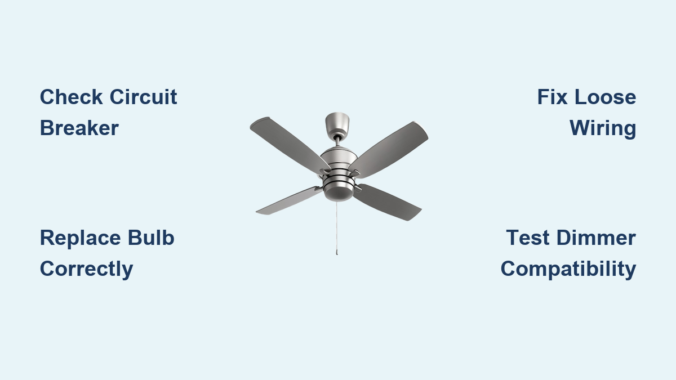
Nothing disrupts your room’s ambiance quite like a malfunctioning ceiling fan light. Whether it’s flickering unpredictably, refusing to turn on completely, or making concerning buzzing sounds, ceiling fan light repair is one of those household fixes that seems intimidating but often has simple solutions. Most homeowners waste money calling electricians for issues they could resolve themselves in less than thirty minutes with basic tools. This guide delivers practical ceiling fan light repair strategies that address the most frequent problems homeowners face, saving you both time and money while keeping your living spaces properly illuminated.
Ceiling fan light fixtures fail for numerous reasons, from something as simple as a burned-out bulb to more complex electrical issues. The good news is that approximately 80% of ceiling fan light problems can be diagnosed and fixed without professional help. Before you reach for your phone to call an expensive repair service, take twenty minutes to work through these targeted solutions. You’ll learn how to safely troubleshoot your specific issue, implement the correct ceiling fan light repair, and prevent future problems from developing. Understanding these fundamental repair techniques puts you in control of your home’s lighting system and eliminates unnecessary service calls.
Why Your Ceiling Fan Light Won’t Turn On: 5 Common Causes
When your ceiling fan light fails to illuminate, the cause typically falls into one of five categories that you can systematically eliminate. Start with the simplest possibilities before moving to more complex ceiling fan light repair solutions. Always remember to turn off power at the circuit breaker before examining any electrical components—safety should never be compromised during ceiling fan light repair.
Checking Power Supply and Circuit Breaker Issues
First, verify that the circuit breaker controlling your ceiling fan hasn’t tripped. Locate your electrical panel and check if the corresponding breaker has moved to the “off” position. If it has, reset it by switching it completely off and then back on. If the breaker immediately trips again when you attempt to turn on the light, this indicates a more serious electrical problem that requires professional attention. Before concluding it’s a major issue, try plugging another device into the same room’s outlets to confirm power is actually reaching the area. Sometimes the problem isn’t with your ceiling fan but with the general circuit for that room.
Diagnosing Faulty Wall Switches and Remote Controls
Many homeowners overlook the wall switch or remote control as potential culprits in ceiling fan light repair scenarios. Test your wall switch by toggling it several times while listening for a distinct clicking sound—silent switches often indicate internal failure. For remote-controlled fans, replace the remote batteries and ensure you’re within proper operating range. Some models require re-pairing the remote with the fan after power interruptions. If your fan operates but the light doesn’t, the issue likely lies specifically with the light circuit rather than the main power supply.
How to Replace a Burned-Out Ceiling Fan Light Bulb Properly

Bulb replacement seems straightforward, but improper installation causes many recurring ceiling fan light problems. The vibration from fan operation loosens improperly seated bulbs, creates poor electrical contact, and shortens bulb lifespan.
Selecting the Correct Bulb Type and Wattage
Not all bulbs work safely in ceiling fan fixtures. Check your fan’s manual for maximum wattage specifications—exceeding these can melt sockets and create fire hazards. Most modern ceiling fans accommodate LED bulbs (check for “dimmable” if you have a dimmer switch), which generate less heat and last longer than incandescent options. Never force a bulb into the socket; if it doesn’t screw in easily, you likely have the wrong base type. The most common bases are E12 (candelabra) and E17 (intermediate) for ceiling fan lights.
Securing Bulbs to Prevent Vibration Damage
After inserting the new bulb, turn it only until it makes firm contact—approximately 1/8 to 1/4 turn after initial threading. Over-tightening cracks the bulb base or damages the socket threads. For vibration-prone installations, apply a small amount of dielectric grease to the bulb threads before installation. This reduces friction during operation and makes future bulb changes easier. Wait at least 10 minutes after turning off the fan before changing bulbs, as halogen and incandescent bulbs reach extremely high temperatures during operation.
Fixing Flickering Ceiling Fan Lights Without Calling an Electrician
Flickering lights create an unsettling atmosphere and can trigger headaches or eye strain. While occasional flickering might indicate a loose bulb, consistent flickering requires more thorough ceiling fan light repair attention.
Addressing Loose Wiring Connections Safely

With power OFF at the breaker, remove the light fixture cover to access the wiring. Check that all wire nuts are securely fastened—wires should not pull out when gently tugged. If connections appear corroded, disconnect the wires, trim damaged sections, and reconnect with new wire nuts. For aluminum wiring (less common in modern homes), special connectors are required—consult an electrician if you discover this. Never work on ceiling fan wiring with power still connected; the risk of shock is too great.
Solving Dimmer Switch Compatibility Issues
Many flickering problems stem from incompatible dimmer switches. Standard dimmers often don’t work correctly with LED bulbs or ceiling fan light kits. Verify that your dimmer switch specifically lists compatibility with ceiling fans and your bulb type. Upgrading to an LED-compatible dimmer switch typically resolves persistent flickering. When installing a new dimmer, match the wire colors precisely—black to black (hot), white to white (neutral), and green or bare copper to the grounding wire.
Replacing a Faulty Pull Chain Switch on Your Ceiling Fan
Pull chain switches fail frequently due to repeated use, moisture exposure, or internal mechanism wear. Replacing them ranks among the most common ceiling fan light repair tasks homeowners perform.
Identifying the Correct Replacement Switch
Before purchasing a replacement, remove the existing switch to note its specifications. Most ceiling fan pull chain switches are either 2-wire (on/off) or 3-wire (multiple speeds). Take the old switch to the hardware store to ensure an exact match—switch dimensions vary significantly between manufacturers. Note the amperage rating (usually 1-3 amps for light kits) and ensure your replacement matches or exceeds this specification.
Step-by-Step Pull Chain Switch Replacement
- Turn off power at the circuit breaker and verify it’s off using a non-contact voltage tester
- Remove the light fixture glass/covers to access the switch
- Take a photo of the existing wiring configuration before disconnecting anything
- Disconnect wires from the old switch (note which wire connects to which terminal)
- Connect wires to corresponding terminals on the new switch
- Secure the new switch in place with mounting hardware
- Reassemble the light fixture and restore power to test
When to Call a Professional for Ceiling Fan Light Repair
While most ceiling fan light problems have DIY solutions, certain situations require professional electrical expertise. If you’ve checked all the common issues and your ceiling fan light still malfunctions, or if you notice any of these warning signs, contact a licensed electrician immediately:
- Burning smells coming from the fixture
- Visible scorch marks on the socket or wiring
- Frequent tripping of the circuit breaker
- Buzzing or humming sounds accompanied by flickering
- Moisture damage in the fixture (common in bathrooms)
Attempting advanced ceiling fan light repair without proper electrical knowledge risks fire hazards and electrical shock. Professionals have specialized tools to diagnose complex issues like internal transformer failures in remote-controlled systems or embedded circuit board problems.
Preventing Future Ceiling Fan Light Problems
The best ceiling fan light repair is one you never need to perform. Implement these preventative measures to extend your fixture’s lifespan:
- Clean light fixtures every 3-6 months to prevent dust buildup that traps heat
- Use bulbs with wattage at least 25% below the maximum rating
- Tighten mounting hardware annually to reduce vibration
- Install surge protectors to prevent damage from power fluctuations
- Choose LED bulbs specifically rated for ceiling fan use (vibration-resistant)
Regular maintenance prevents 90% of common ceiling fan light problems. Spend five minutes each season checking connections and cleaning fixtures to avoid more extensive ceiling fan light repair later.
Final Note: By mastering these ceiling fan light repair techniques, you’ve gained valuable skills that save money and increase your home maintenance confidence. Most lighting issues stem from simple causes that yield to methodical troubleshooting. Remember that electrical safety should always come first—when in doubt, consult a professional. With regular maintenance and the knowledge you’ve gained, your ceiling fan lights should provide reliable, flicker-free illumination for years to come.
Leave a Reply