Is your Hampton Bay ceiling fan light suddenly refusing to illuminate while the fan blades keep spinning? You’re not alone. When your ceiling fan’s light fixture stops working but the fan continues operating normally, it creates both a practical lighting problem and frustration in your living space. This specific issue affects thousands of homeowners each year, leaving them wondering whether they need to call an electrician or can fix it themselves. In this guide, you’ll discover the exact steps to diagnose and resolve your Hampton Bay ceiling fan light problem without unnecessary professional costs.
Common Causes of Hampton Bay Ceiling Fan Light Failure
When your Hampton Bay ceiling fan light stops working while the fan operates normally, several specific issues could be responsible. Understanding these common culprits helps you approach troubleshooting systematically rather than randomly replacing parts.
Burned Out Bulb or Incompatible Bulb Type
Hampton Bay fans often require specific bulb types that many homeowners overlook. While standard A19 bulbs might physically fit, Hampton Bay models frequently need:
- Maximum wattage adherence – Exceeding 60W in some models causes premature bulb failure
- Bulb base compatibility – E26 bases are standard, but some older models use E12 candelabra bases
- Dimmable requirements – If using a dimmer switch, non-dimmable LEDs will flicker or fail
Pro Tip: Always check the wattage sticker inside your fan’s light housing before installing new bulbs. Many Hampton Bay fans manufactured after 2015 have specific LED compatibility requirements that differ from traditional incandescent specifications.
Faulty Light Socket or Internal Wiring Connection
Loose wiring connections represent one of the most frequent causes of Hampton Bay light failures. When your fan light stops working unexpectedly:
- Turn off power at the circuit breaker (not just the wall switch)
- Remove the light fixture housing
- Check for disconnected wires at the socket terminals
- Inspect for melted insulation or charred connections
Critical Warning: If you notice blackened wires or melted plastic around the socket, stop immediately. This indicates an electrical overload that requires professional attention before proceeding.
Remote Control or Wall Switch Malfunction
Hampton Bay fans with remote controls often experience light-specific failures due to:
- Dead remote batteries – Replace both batteries simultaneously for proper voltage
- Signal interference – LED bulbs can sometimes disrupt RF signals between remote and receiver
- Receiver board failure – The separate light channel on the receiver may fail while fan control remains operational
Quick Test: Bypass the remote system by connecting the light wires directly to the power source (with power off!). If the light works, your remote system needs replacement.
Step-by-Step Hampton Bay Light Troubleshooting Process
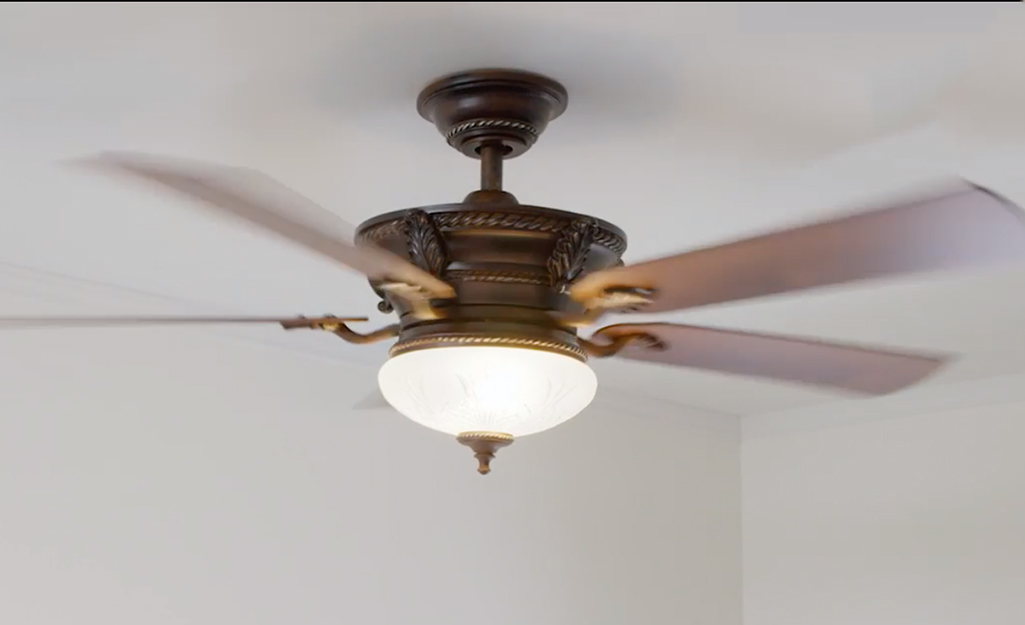
Follow this systematic approach to identify and resolve your specific light issue without unnecessary part replacements.
Initial Diagnostic Checks Before Disassembly
Before taking apart your ceiling fan, perform these simple checks that solve most light issues:
- Verify wall switch position – Many homes have separate switches for fan and light
- Test with different bulbs – Try known-working bulbs from another fixture
- Check circuit breaker – Some homes wire fan and light to separate circuits
- Listen for relay clicks – When operating the light switch, listen for a faint click from the fan housing
Time Saver: If your fan has a pull chain for the light, ensure it’s not stuck between positions. Gently jiggle the chain while testing.
Replacing the Light Bulb Correctly
Many Hampton Bay light failures stem from improper bulb installation:
- Allow the fixture to cool completely (15+ minutes)
- Wear gloves to prevent oil transfer to new bulbs
- For multi-light fixtures, replace all bulbs simultaneously
- Confirm the bulb base makes firm contact with socket contacts
- Never exceed the maximum wattage specified in your model
Common Mistake: Forcing LED bulbs into Hampton Bay fixtures designed for incandescents can damage the internal driver. Check your manual for compatible LED models.
Resetting the Remote Control System
When only your light fails with remote-controlled Hampton Bay fans:
- Remove batteries from the remote
- Turn off power at the breaker for 2 minutes
- Restore power and wait 30 seconds
- Reinsert fresh batteries while holding the “light” button
- Point remote directly at the receiver (within 3 feet)
Expert Note: Some Hampton Bay models require a specific reset sequence. Consult your manual for model-specific reset instructions, as procedures vary between brands like Harbor Breeze and Casablanca.
Model-Specific Hampton Bay Light Issues

Different Hampton Bay fan series have unique light-related failure patterns worth knowing.
Older Hampton Bay Fans with Pull Chains
Models manufactured before 2010 often experience:
- Worn pull chain mechanisms – The internal switch fails while fan control remains functional
- Corroded socket contacts – Moisture in bathrooms causes oxidation
- Frayed internal wires – Years of chain pulling damages wire connections
Fix: Replace the entire light socket assembly rather than attempting to repair the internal switch mechanism.
Modern Hampton Bay Fans with Remote Controls
Newer models (2015+) commonly have:
- LED compatibility issues – Older receivers malfunction with LED bulbs
- RF interference – Smart home devices disrupt signal transmission
- Receiver board failures – The separate light circuit burns out
Solution: Upgrade to a newer receiver board designed for LED compatibility if replacing bulbs doesn’t resolve the issue.
When to Call a Professional Electrician
While most Hampton Bay light issues are DIY-friendly, certain situations require professional help:
- Burning smell or visible smoke from the fixture
- Frequent tripping of the circuit breaker when operating lights
- Water damage in bathroom or outdoor installations
- Aluminum wiring connections (requires special handling)
Safety First: If you’re uncomfortable working with electrical components or don’t own a non-contact voltage tester, hire a professional. Electrical shocks from ceiling fans can be life-threatening.
Preventing Future Hampton Bay Light Failures
Avoid recurring light issues with these proactive maintenance steps:
Seasonal Light Fixture Maintenance
Perform these checks every 6 months:
- Clean dust from socket contacts with a dry toothbrush
- Tighten wire connections in the junction box
- Inspect for signs of overheating (discoloration, melting)
- Verify proper bulb seating and wattage compliance
Pro Tip: Apply a small amount of dielectric grease to socket contacts during bulb changes to prevent corrosion.
Smart Bulb Selection Guidelines
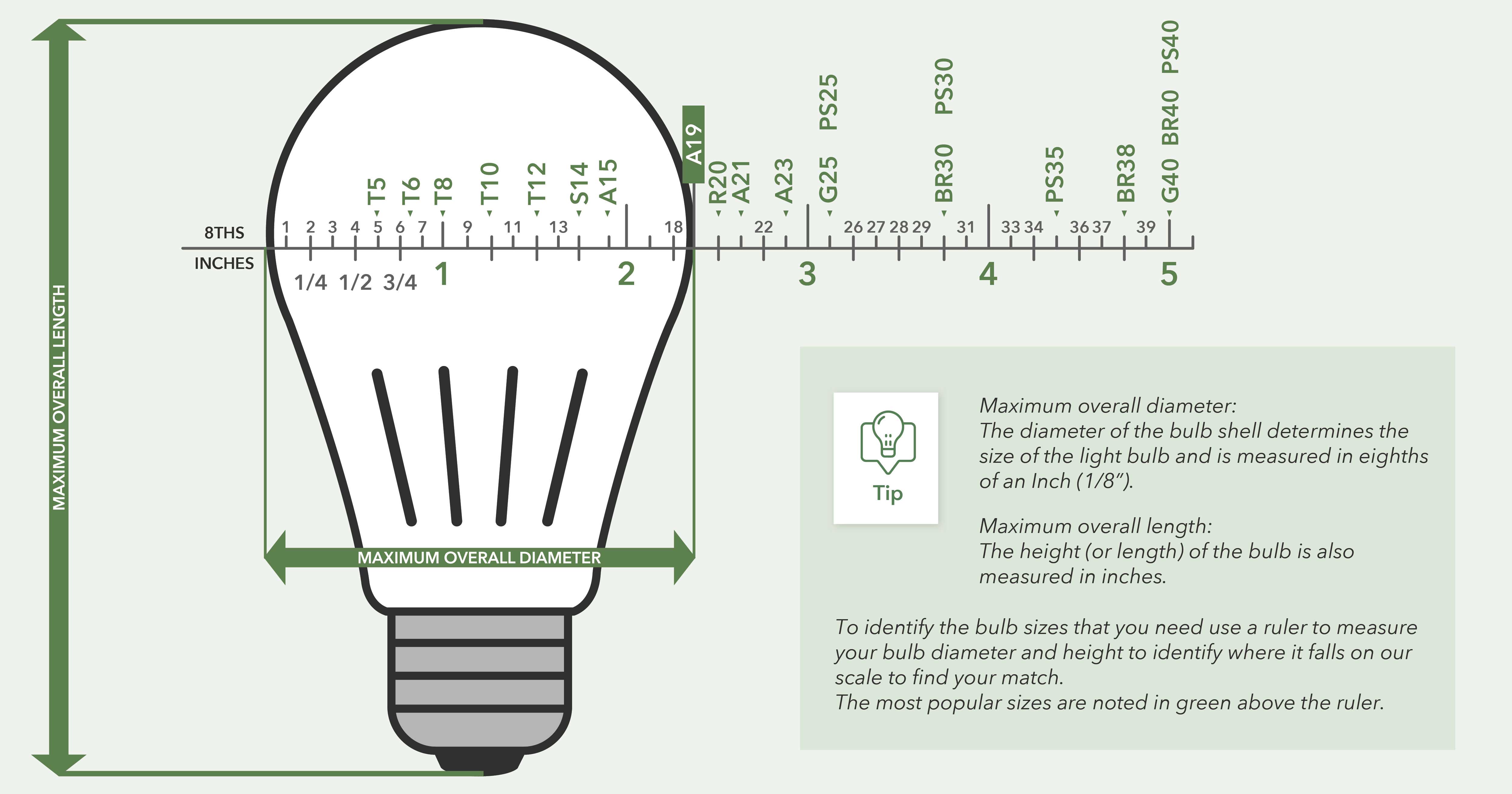
Choose bulbs that match your specific Hampton Bay model:
- Check your manual for “LED compatible” notation
- Select bulbs with “dimmable” labeling if using a dimmer
- Never exceed 80% of the maximum rated wattage
- For remote-controlled fans, choose bulbs with low wattage draw (under 10W)
Warning: Cheap, off-brand LED bulbs often cause more problems than they solve in Hampton Bay fixtures. Stick with reputable brands like Philips or GE.
Final Troubleshooting Checklist
Before concluding your Hampton Bay ceiling fan light issue requires professional help, verify these final points:
- [ ] Tried multiple known-working bulbs
- [ ] Checked both circuit breakers (some homes have separate circuits)
- [ ] Verified wall switch is operational
- [ ] Reset the remote control system
- [ ] Inspected socket for damage or debris
- [ ] Confirmed proper bulb type and wattage
Last Resort: If all checks fail, consider replacing the entire light kit. Hampton Bay offers replacement kits for most models that install in under 20 minutes and cost less than professional service calls.
Final Note: Most Hampton Bay ceiling fan light issues stem from simple causes like incompatible bulbs or loose connections rather than major component failures. By following this systematic approach, you’ll restore your lighting without unnecessary expenses. Remember that regular maintenance prevents most recurring issues, and when in doubt about electrical safety, always consult a qualified electrician. Your properly functioning Hampton Bay ceiling fan light should provide years of reliable service with the right troubleshooting and preventive care.
Leave a Reply