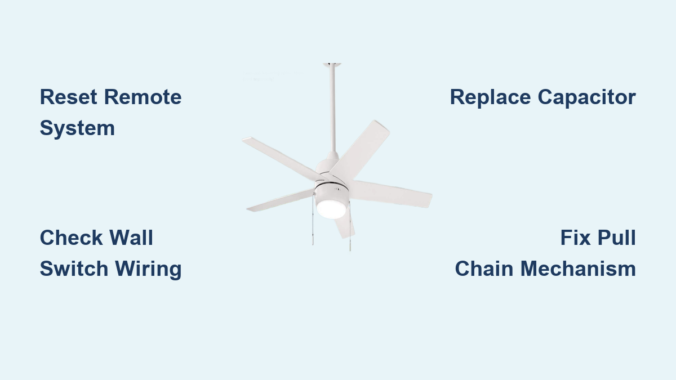
You’ve flipped the wall switch down, pressed the remote control “off” button multiple times, and even tried the pull chain—but your Hampton Bay ceiling fan keeps spinning relentlessly. This frustrating issue affects thousands of homeowners each year, leaving them hot, bothered, and wondering why their ceiling fan won’t turn off. Whether you have a modern Hampton Bay fan with remote control or an older model with traditional wiring, this persistent operation isn’t just annoying—it can damage your motor and increase energy costs. In this guide, you’ll discover the exact troubleshooting steps to diagnose and fix why your Hampton Bay ceiling fan won’t turn off, with solutions ranging from simple resets to component replacements you can complete in under 30 minutes.
Why Your Hampton Bay Ceiling Fan Continues Running After “Off” Command
Hampton Bay fans from Home Depot commonly experience this continuous operation issue due to several specific failures in the control system. Unlike generic fan problems, Hampton Bay models frequently suffer from remote control synchronization issues and capacitor failures that prevent proper shutdown. When your fan ignores off commands, it’s almost always because the power signal isn’t being properly interrupted between the control mechanism and the motor. This creates a dangerous situation where the motor receives constant electricity, causing unnecessary wear and potential overheating. The good news is that most Hampton Bay fan shutdown problems can be resolved without replacing the entire unit, saving you hundreds compared to professional repair services.
Remote Control System Failures Causing Continuous Operation
How to Reset Your Hampton Bay Fan Remote System
Hampton Bay’s remote control systems frequently lose synchronization, causing the fan to ignore off commands. To properly reset the system:
- Turn off power at the circuit breaker for 30 seconds (critical step many miss)
- Remove batteries from both remote and receiver module
- Locate the small “reset” or “learn” button on the receiver (usually inside canopy)
- Press and hold reset button for 10 seconds while power is off
- Restore power and immediately reprogram remote following pairing sequence
Pro Tip: Many Hampton Bay models require you to hold both “fan off” and “light off” buttons simultaneously for 5 seconds during re-pairing. If your remote has only one channel, press the single button continuously during pairing.
Diagnosing Faulty Remote Control Components
When your Hampton Bay fan won’t turn off but responds to speed changes, suspect these specific remote issues:
- Stuck buttons that continuously send “on” signals (common with plastic remotes)
- Weak batteries causing signal misinterpretation (replace with fresh lithium batteries)
- Radio frequency interference from nearby electronics (Wi-Fi routers, baby monitors)
Test by temporarily removing batteries—if the fan finally shuts off, you’ve confirmed a remote control problem. Replace the remote with an exact model-specific replacement (Hampton Bay uses proprietary frequencies).
Wall Switch and Wiring Problems That Prevent Shutdown
Identifying the “Hot Wire” Confusion in Hampton Bay Installations
Many Hampton Bay fans continue running because of improper wiring during installation, specifically the common mistake of connecting the fan to a “hot” circuit that lacks proper switching. In correctly wired systems, the wall switch should completely interrupt power to the fan. When this fails:
- The fan receives constant power regardless of switch position
- Pull chains become ineffective for complete shutdown
- Remote controls cannot override the constant power supply
Critical Check: Turn off the wall switch and verify with a non-contact voltage tester that power is actually cut to the fan wires. If you detect voltage with the switch off, you have a miswired circuit requiring correction.
How to Fix Reversed Hot and Neutral Wires

Hampton Bay fans manufactured after 2015 are particularly sensitive to reversed polarity. When neutral and hot wires are swapped:
- The fan may operate erratically or run continuously
- Remote controls lose synchronization frequently
- LED lights may flicker or remain partially illuminated
To correct this:
– Turn off circuit breaker and verify no power at fan
– Access wiring in canopy and identify wire connections
– Ensure black (hot) wire connects to black fan wire
– Confirm white (neutral) connects to white fan wire
– Verify bare copper ground connects properly
Warning: If you’re not comfortable working with household wiring, hire a licensed electrician—improper connections can cause fire hazards.
Capacitor and Speed Control Module Failures
Why a Failing Capacitor Causes Continuous Operation
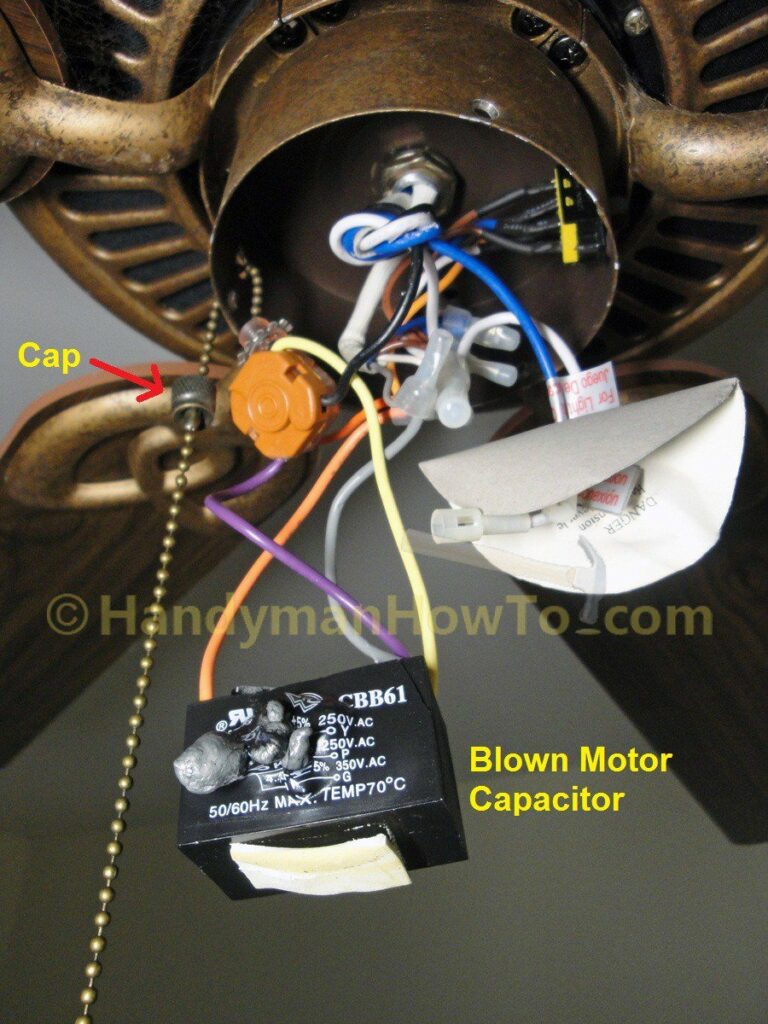
The capacitor in your Hampton Bay fan regulates electrical current to the motor. When it fails in a specific way (open circuit rather than short circuit), it can cause the fan to run continuously at one speed. This component is often overlooked during troubleshooting but is a common culprit in models from the 2018-2022 period.
Visual Identification: Look for a small cylindrical component (about 1-2 inches long) mounted near the motor housing. Signs of failure include:
– Bulging or leaking casing
– Burn marks on terminals
– Discoloration of surrounding components
Replacing the Speed Control Module in 4 Steps
Many Hampton Bay fans use integrated speed control modules that fail and cause continuous operation. Replacement requires:
- Turn off power at breaker and verify with tester
- Remove canopy to access wiring compartment
- Locate rectangular speed control module (usually black with multiple wires)
- Disconnect wiring harness and replace with identical model-specific part
Time Estimate: 20 minutes for most homeowners. Difficulty: Moderate (requires basic electrical safety awareness).
Pull Chain Mechanism Failures Specific to Hampton Bay Models

Why Your Pull Chain Isn’t Stopping the Fan
Hampton Bay fans manufactured between 2015-2020 commonly experience pull chain failures where the chain moves but doesn’t change fan operation. This occurs because:
- The internal switch mechanism becomes disconnected from the chain
- Moisture causes corrosion in bathroom or outdoor installations
- Plastic components wear out from frequent use
Quick Test: With the fan running, gently pull the chain while listening for an audible “click.” No click means the mechanical connection has failed.
Temporary Fix for Immediate Shutdown
When your Hampton Bay fan won’t turn off and you need immediate relief:
- Turn off power at the circuit breaker
- Remove the light kit or lower housing
- Locate the pull chain mechanism inside
- Manually flip the small toggle switch inside the housing
Warning: This is a temporary solution only—address the root cause promptly to prevent electrical hazards.
Preventing Future Hampton Bay Fan Shutdown Failures
Monthly Maintenance Routine That Works
Prevent your Hampton Bay ceiling fan from ignoring off commands with this simple monthly routine:
- Clean fan blades and housing to prevent dust buildup affecting electronics
- Check remote control battery compartment for corrosion
- Verify wall switch operation with voltage tester
- Ensure no objects are obstructing remote signal path
When to Replace Rather Than Repair
Consider replacing your Hampton Bay fan if:
– It’s more than 10 years old (common with early remote models)
– You’ve replaced multiple components already
– The motor makes grinding or burning smells
– The fan wobbles excessively when operating
Most Hampton Bay fans have 5-7 year lifespans with regular use—older units become increasingly problematic to maintain.
Final Note: When your Hampton Bay ceiling fan won’t turn off, systematic troubleshooting of the remote system, wall switch, and internal components will resolve the issue 9 times out of 10. Start with the simplest solutions like remote reset before moving to electrical components. Always prioritize safety by working with power disconnected, and don’t hesitate to consult a professional electrician if you’re unsure about any wiring procedures. By addressing the root cause rather than just the symptom, you’ll restore proper control to your fan and prevent unnecessary wear on the motor. Regular maintenance after repair will keep your Hampton Bay fan operating reliably for years to come.
Leave a Reply