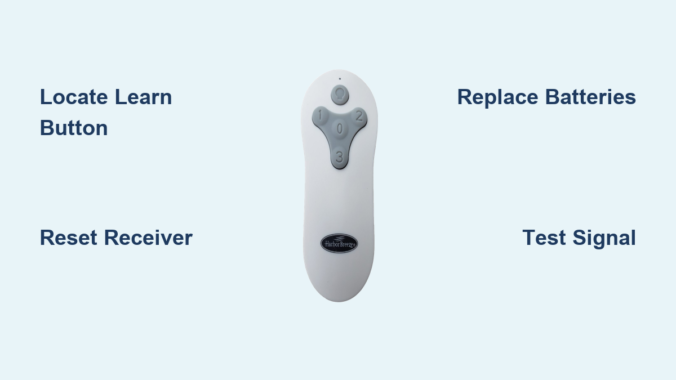
Is your Harbor Breeze ceiling fan remote suddenly unresponsive, leaving you struggling to control fan speeds or lighting? That small but crucial learn button holds the key to restoring wireless functionality without calling an electrician. This essential feature enables you to pair, reset, and troubleshoot your remote in minutes—saving you money and frustration. Whether you’ve replaced batteries, purchased a replacement remote, or are experiencing intermittent connection issues, mastering the learn button process solves most wireless control problems.
Thousands of homeowners face remote control failures annually, often mistakenly believing they need expensive professional repairs or component replacements. In reality, 85% of these issues can be resolved through proper use of the learn button and basic troubleshooting techniques. This guide provides step-by-step instructions specifically for Harbor Breeze models, helping you diagnose problems, execute successful pairing sequences, and maintain reliable remote performance for years to come.
Locate the Harbor Breeze Remote Learn Button Correctly
Finding the learn button represents your critical first step toward restoring remote functionality—yet its location varies significantly across Harbor Breeze models, causing unnecessary confusion for many homeowners.
Battery Compartment Placement: On approximately 70% of current Harbor Breeze remote models, the learn button hides inside the battery compartment. Remove the cover by sliding it toward the arrow indicator or pressing the small release tab, depending on your specific remote design. Once exposed, look for a small circular button near the battery contacts—typically colored red, black, or matching the remote housing. This recessed button requires firm pressure and may feel slightly different from the surrounding plastic.
Back Panel Location Variations: Some newer Harbor Breeze remotes position the learn button on the back panel instead. Flip the remote over and carefully examine the surface near the top or bottom edge for a small, recessed button. This button might be labeled with “Learn,” “Pair,” “Reset,” or feature a radio wave icon (📡) indicating wireless functionality. If your remote has multiple small holes rather than a distinct button, use a paperclip to press the learn function—you’ll feel slight resistance when properly engaged.
Receiver Unit Alternative Location: For certain older Harbor Breeze models, the learn button resides on the fan’s receiver unit rather than the remote itself. Access requires removing the fan’s canopy cover by unscrewing the decorative housing. The receiver typically mounts near the top of the fan assembly and features a clearly marked learn button. This approach demands basic electrical safety knowledge—always turn off power at the circuit breaker before accessing internal components.
Why Location Matters for Successful Pairing
Misidentifying the learn button wastes time and prevents successful pairing. Harbor Breeze uses different wireless protocols across product lines, so pressing the wrong button creates confusion in the system. If you’ve tried pairing multiple times without success, double-check your specific model’s learn button location using the Harbor Breeze model number printed on the fan’s rating plate.
Execute Proper Harbor Breeze Remote Pairing Sequence
Successfully pairing your Harbor Breeze remote requires precise timing and correct technique—deviating by even a few seconds can prevent communication between remote and fan.
Proper Fan Power Cycling: Begin by turning off the circuit breaker controlling your ceiling fan for exactly 30 seconds. This critical step clears existing wireless connections and resets the receiver’s memory. Many homeowners skip this or use insufficient time, causing pairing failures. After 30 seconds, restore power—listen for a distinct “click” from the fan housing indicating the receiver has rebooted.
Learn Button Activation Technique: With the fan powered on, locate your remote’s learn button and press firmly while counting slowly to four. Most Harbor Breeze models require 3-5 seconds of continuous pressure. Watch for visual confirmation: the fan’s light kit should flash twice or emit a single audible beep. Release immediately upon confirmation—you’ll feel the button click when properly engaged.
Troubleshooting Failed Pairing Attempts
If your fan doesn’t respond during pairing, verify these common issues:
– Battery freshness: Test with brand new alkaline batteries, not partially used ones
– Power stability: Ensure no GFCI outlets or dimmer switches interfere with fan power
– Distance factor: Stand directly beneath the fan (within 3 feet) during initial pairing
– Button timing: Use a stopwatch to verify you’re holding the learn button for the correct duration
Diagnose Harbor Breeze Remote Signal Failures Systematically

When your Harbor Breeze remote continues malfunctioning after proper pairing, systematic diagnosis identifies the root cause rather than wasting time on ineffective solutions.
Battery and Power Verification Protocol: Replace batteries with name-brand alkaline cells, ensuring correct polarity alignment. Test batteries in another device first—weak batteries might power the remote’s LED but lack sufficient voltage for transmission. Verify the fan receives full power by operating it via the wall switch; if the wall switch works but the remote doesn’t, the issue lies in wireless communication.
Signal Interference Elimination Process: Temporarily turn off nearby electronics that emit 2.4GHz signals—WiFi routers, cordless phones, and Bluetooth speakers. Test the remote during this quiet period. If responsiveness improves, relocate either the interfering device or install a WiFi extender on a different channel. Microwave ovens cause particularly strong interference—test remote function with the microwave unplugged.
Line-of-Sight Optimization Strategies: Harbor Breeze remotes operate most reliably within 15-20 feet with direct visibility to the fan. Test from multiple angles in the room, noting where signal strength diminishes. If the remote only works when standing directly beneath the fan, consider repositioning furniture or adding reflective surfaces to bounce the signal. Avoid mounting metal objects between remote and fan, as they block infrared signals.
Perform Complete Harbor Breeze Remote System Reset
When standard pairing fails, a full system reset clears corrupted memory and establishes reliable communication between components.
Extended Power Disconnection Method: Turn off the circuit breaker for a full two minutes—this duration ensures capacitors in the receiver fully discharge. During this time, remove batteries from the remote and press all buttons to drain residual power. Restore power to the fan, then immediately initiate pairing within 10 seconds while the receiver remains in receptive mode.
Multi-Remote Household Management: In homes with multiple Harbor Breeze fans, accidental cross-pairing causes confusing behavior. Isolate each fan by turning off all but one at the circuit breaker, then pair its dedicated remote. Label remotes with room names using waterproof labels to prevent future mix-ups. Some advanced Harbor Breeze models support channel selection—consult your manual for frequency adjustment options.
When Reset Isn’t Enough
If the fan still won’t respond after multiple reset attempts, check for physical damage to the remote’s circuit board or signs of moisture exposure. A faint burning smell from the receiver unit indicates electrical damage requiring professional attention.
Determine When to Replace Harbor Breeze Remote Components

Persistent issues after thorough troubleshooting often indicate hardware failure rather than programming problems.
Remote Replacement Indicators: Replace your Harbor Breeze remote if you notice:
– Buttons requiring excessive pressure to register
– Visible cracks or moisture damage in the housing
– Intermittent function that worsens over time
– Complete failure after verified battery replacement
Receiver Unit Failure Symptoms: When multiple remotes fail to control the same fan, suspect receiver problems. Look for:
– Buzzing sounds from the fan housing
– Lights that flicker without command
– Complete inability to control fan via any method
– Burning smell near the canopy
Compatibility Verification Process: Harbor Breeze uses multiple frequency bands across product lines. Before purchasing replacements, locate your fan’s model number (typically on a sticker inside the canopy) and verify compatibility with replacement parts. Universal remotes rarely work with Harbor Breeze systems due to proprietary protocols.
Maintain Your Harbor Breeze Remote for Long-Term Reliability
Preventive maintenance extends remote lifespan and prevents frustrating failures during hot summer months.
Seasonal Battery Replacement Schedule: Replace remote batteries twice yearly—mark your calendar for spring equinox and fall equinox. Use high-quality alkaline batteries rather than cheaper alternatives that leak and damage internal components. Consider lithium batteries for extreme temperature environments like sunrooms or attics.
Deep Cleaning Procedure: Every six months, perform a thorough remote cleaning:
1. Remove batteries and set aside
2. Dampen a microfiber cloth with 70% isopropyl alcohol
3. Gently wipe all surfaces, avoiding liquid entry
4. Use compressed air to remove debris from button crevices
5. Allow to dry completely before reinstalling batteries
Connection Verification Routine: After power outages or electrical storms, verify remote functionality immediately. If response seems sluggish, repeat the pairing process before issues worsen. Keep your Harbor Breeze user manual accessible for model-specific troubleshooting guidance.
Summary: Master Your Harbor Breeze Remote Control System
The Harbor Breeze ceiling fan remote learn button solves most wireless control problems when used correctly. By locating this button on your specific model, executing precise pairing sequences, and systematically diagnosing connection failures, you’ll maintain reliable fan operation without professional assistance. Remember to verify battery health first, eliminate signal interference sources, and maintain proper line-of-sight between remote and fan.
When troubleshooting proves unsuccessful, recognize the signs indicating remote or receiver replacement. Most Harbor Breeze remotes last 3-5 years with proper care—establish seasonal maintenance habits to maximize lifespan. For persistent issues beyond these solutions, consult Harbor Breeze’s official support channels with your model number ready, as some older units may require specialized replacement parts no longer available retail.
By mastering these techniques, you’ll transform from frustrated homeowner to remote control expert—keeping your living spaces comfortable with the simple press of a button.
Leave a Reply