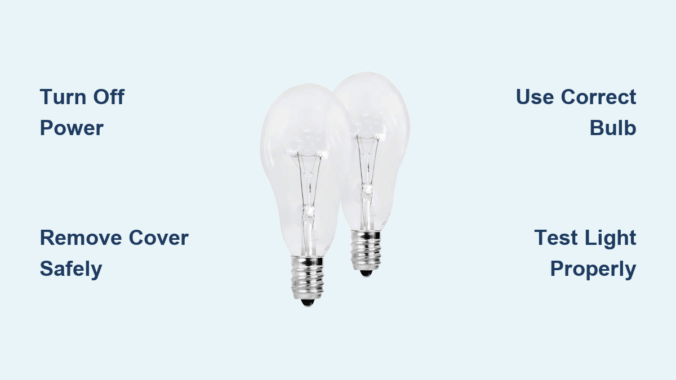
That sudden darkness when your ceiling fan light burns out can disrupt your entire evening. Whether you’re preparing dinner, winding down with a book, or simply navigating your home after sunset, a non-functioning ceiling fan light creates immediate inconvenience. Many homeowners hesitate to tackle this seemingly simple task, fearing electrical hazards or worrying they might damage their fixture. The reality is that replacing a ceiling fan light bulb safely takes just 10-15 minutes when you follow proper procedures. This guide eliminates the guesswork and fear, providing a clear roadmap for success regardless of your fixture type.
Ceiling fan lighting assemblies vary significantly across models and manufacturers, which explains why so many people struggle with this basic home maintenance task. Some feature delicate glass globes secured with tiny screws, while others use twist-lock mechanisms that confuse first-time users. Without knowing your specific fixture type, you risk breaking expensive components or creating electrical hazards. By understanding the precise steps for your fan model and selecting the correct replacement bulb, you’ll complete the job efficiently while extending the life of your lighting system. Let’s transform this potentially frustrating chore into a quick, safe, and satisfying accomplishment.
Turn Off Power Safely

Electrocution risks make proper power shutoff the non-negotiable first step in any ceiling fan bulb replacement. Working with live electrical components—even at light socket level—can cause severe injury or death. Cutting power at the source eliminates this danger and gives you peace of mind throughout the process.
Head directly to your home’s main electrical panel and locate the circuit breaker controlling your ceiling fan. Most homes have dedicated circuits for individual rooms, but some builders wire multiple fixtures to a single breaker. Flip the suspected breaker to the “off” position, then test the fan light switch to confirm power is disconnected. If the light doesn’t respond, you’ve successfully isolated the circuit. For absolute certainty, use a $10 non-contact voltage tester near the fixture—if it detects electricity, continue searching for the correct breaker before proceeding.
Why skipping this step risks serious injury
Ignoring proper power shutoff creates multiple hazards. Even with the wall switch off, ceiling fan fixtures often remain energized because switches typically interrupt only the hot wire, not the neutral. Touching both socket contacts simultaneously while grounded (through a ladder or wet floor) completes the circuit through your body. Voltage testers provide instant verification—never assume the breaker is correctly labeled or that the wall switch fully disconnects power.
Gather Your Tools
Assembling the right equipment before climbing your ladder prevents dangerous mid-task descents and protects fragile fixture components. Most bulb replacements require minimal tools, but having them ready ensures a smooth, efficient process.
A stable step ladder rated for your weight provides safe access without overreaching. Position it directly beneath the fan on level flooring—never use chairs, stools, or unstable platforms that could collapse. Keep a soft microfiber cloth nearby to handle bulbs without transferring skin oils that create hot spots on halogen or certain LED bulbs. For fixtures with mounting screws, include a precision screwdriver set with both Phillips and flat-head tips in multiple sizes. If your fixture uses a twist-lock globe, rubber gloves provide extra grip when hands get sweaty from nervousness or heat.
Pro tip for multi-bulb fixtures
When replacing bulbs in fixtures with multiple sockets, place removed bulbs in an egg carton or pill organizer to prevent rolling and breakage. Label each compartment with its position (front, back, left, right) if your fixture uses different bulb types or wattages.
Remove the Light Fixture Cover
Your ceiling fan’s light cover removal method depends entirely on its design—knowing which type you have prevents costly breakage. Most homeowners damage fixtures by applying incorrect force when they don’t recognize the mechanism.
Glass Globes with Mounting Screws
If your fixture has 2-4 small screws around the globe’s rim, loosen each one 3-4 full turns while supporting the glass with your other hand. Never remove screws completely until the globe is fully lowered—gravity will do the rest once tension releases. For heavy glass globes, use both hands in a cradle position as you unscrew the final turns to prevent sudden drops.
Twist-On or Snap-On Covers
Look for alignment arrows or dots on both the globe and mounting ring—these indicate the “unlock” position. Grasp the cover firmly with both hands and rotate counterclockwise about 1/8 to 1/4 turn until it releases. If resistance feels excessive, press inward slightly while twisting to disengage hidden clips. Never force rotation beyond 45 degrees, as this cracks tempered glass.
Troubleshooting stuck covers
Apply gentle heat with a hair dryer for 30 seconds to expand metal components binding the glass. For stubborn twist-lock covers, wrap a rubber band around the edge for better grip. If the cover still won’t budge, consult your fan’s manual—some require pressing specific tabs while rotating.
Identify the Correct Replacement Bulb

Selecting the wrong bulb causes flickering, premature failure, or fire hazards from excessive heat. Your existing bulb contains all necessary specifications—read them carefully before purchasing replacements.
Examine the metal base of your old bulb for stamped markings indicating base type (E12 candelabra, E17 intermediate, or E26 standard) and maximum wattage. Never exceed the fixture’s rated wattage—this number appears inside the socket or on a label near the wiring compartment. For enclosed fixtures (where glass completely surrounds the bulb), choose bulbs specifically rated “Enclosed Fixture Rated” to prevent overheating.
LED bulb selection guide
Modern LED bulbs save 80% more energy than incandescents but require careful selection. Look for:
– Dimmable rating if using with a dimmer switch
– 2700K-3000K color temperature for warm light
– Minimum 800 lumens for adequate room illumination
– Enclosed fixture rating if applicable
– Vibration-resistant design (critical for ceiling fans)
Avoid cheap no-name LEDs—they often fail prematurely in fan applications due to inadequate heat dissipation.
Install the New Bulb

Proper installation technique prevents broken bulbs and damaged sockets. Hold your new bulb by the base only, avoiding contact with the glass portion. If fingerprints occur, wipe with isopropyl alcohol before installation.
For screw-base bulbs (E12/E17/E26), align threads with the socket and turn clockwise until snug—stop when you meet moderate resistance. Never force beyond this point, as overtightening cracks the bulb base or strips socket threads. For pin-base bulbs (GU10, GU24), align pins with slots and push firmly while turning clockwise about 15 degrees until they lock.
Critical installation mistakes to avoid
- Using bulbs exceeding maximum wattage (fire hazard)
- Installing non-dimmable LEDs with dimmer switches (causes flickering)
- Forcing bulbs that don’t thread smoothly (indicates wrong base type)
- Touching halogen bulb glass with bare fingers (creates hot spots)
Test Your Work
Verification testing catches problems before they become safety hazards. Restore power at the breaker, then operate the light switch through multiple on-off cycles while observing performance.
The bulb should illuminate instantly at full brightness without flickering, buzzing, or delayed startup. Test dimmer functionality if applicable—smooth transitions without audible noise indicate proper compatibility. Run the light for 5 minutes while checking for unusual heat buildup around the fixture. If using multiple bulbs, ensure consistent brightness across all sockets.
Immediate red flags requiring power shutdown
Turn off power immediately if you notice:
– Persistent flickering after multiple on-off cycles
– Visible sparks or smoke
– Burning smell from the fixture
– Excessive heat making the glass cover too hot to touch
Troubleshoot Common Issues
Even careful installations sometimes encounter problems—knowing these solutions prevents unnecessary electrician calls.
Light won’t turn on after replacement
First verify power at the breaker and switch. Test the bulb in another fixture—if it works there, check for a tripped GFCI outlet (common in bathrooms/kitchens) that may control your fan circuit. If the socket shows darkening or melting, replace the entire light kit as internal wiring has likely degraded.
Persistent flickering with new LED bulbs
This almost always indicates incompatible dimmer switches. Older dimmers designed for incandescents lack the minimum load required for LEDs. Solutions include:
– Installing an LED-compatible dimmer (Lutron Caséta works well)
– Adding a Lutron LUT-MLC dimmer compatibility module
– Using non-dimmable bulbs if dimming isn’t essential
Maintain Your Fan Lights
Preventative care extends bulb life and avoids repeat ladder climbs. Clean glass covers quarterly with a microfiber cloth—never spray cleaners directly onto glass. Check bulb tightness monthly, as fan vibration gradually loosens connections. When one bulb fails in a multi-light fixture, replace all bulbs simultaneously to avoid another climb soon after.
Smart bulb replacement strategy
Keep spare bulbs matching your fixture’s specifications stored with your fan’s manual. When replacing bulbs, upgrade all to quality LEDs rated for enclosed fixtures and vibration resistance—this single action eliminates 90% of future lighting problems while cutting energy costs significantly.
Replacing a ceiling fan light bulb safely requires attention to electrical safety, precise fixture knowledge, and proper bulb selection. By following these verified steps—power disconnection verification, correct cover removal techniques, appropriate bulb selection, and thorough testing—you’ll complete the task confidently while avoiding common pitfalls. Remember that persistent electrical issues beyond basic bulb replacement warrant professional assistance—your safety outweighs any convenience. With proper maintenance, your ceiling fan lighting will provide reliable, energy-efficient illumination for years to come, keeping your home safely lit without unnecessary service calls or hazards.
Leave a Reply