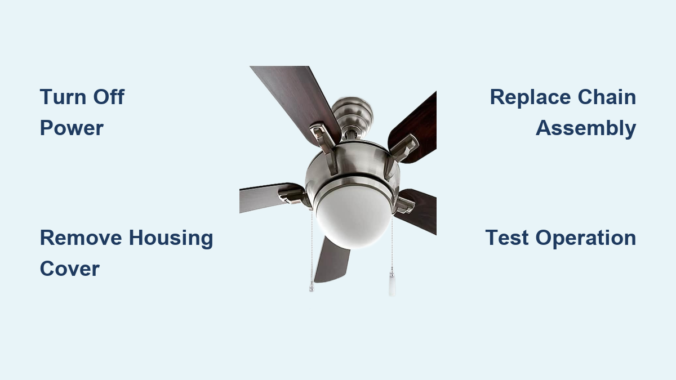
That familiar “snap” when your ceiling fan pull chain breaks leaves you stranded with no control over your fan’s speed or lights. Learning how to replace chain on ceiling fan is a simple DIY fix that takes less than an hour and costs under $20—no electrician required. Most homeowners can complete this repair using basic tools they already own, restoring full control over fan speed settings and lighting functions without professional help. This guide walks you through every critical step, from safely disconnecting power to testing your new chain, ensuring you avoid common mistakes that could leave your fan useless or create electrical hazards.
The pull chain mechanism connects your physical pull to the internal switch controlling electricity flow to your fan motor or light kit. When the chain breaks or stops clicking, the entire assembly typically needs replacement since individual components aren’t sold separately. Understanding your specific fan model’s switch type and following proper safety procedures makes this repair accessible even for beginners. By the end of this guide, you’ll know exactly how to replace chain on ceiling fan safely and correctly, with troubleshooting tips for common issues that arise during installation.
Why Ceiling Fan Chains Fail
Wear from Regular Use
Daily pulls gradually wear down the internal switch contacts that complete electrical circuits. Metal chain links stretch and weaken over time, while plastic components become brittle and crack. Most pull chains withstand thousands of cycles, but fans in high-traffic areas like bedrooms may need replacement every 2-3 years. You’ll notice reduced “click” sensation before complete failure occurs.
Damage and Accidental Stress
Yanking the chain too hard—especially when reaching from below—can disconnect internal linkages or break the chain entirely. Tangled chains caught on objects or pulled by children suffer similar damage. Dust accumulation inside the switch housing interferes with smooth operation, while bathroom humidity accelerates metal corrosion. These issues compound over time until the chain snaps or stops functioning.
Signs You Need Replacement
Watch for these warning signs: a chain that moves freely without clicking indicates internal switch failure. Intermittent operation where the fan responds inconsistently to pulls suggests worn contacts. Visible damage like broken links, frayed cord, or missing beads means immediate replacement is needed. Address these issues before complete failure leaves your fan uncontrollable.
Gather Essential Tools First

Basic Tool Requirements
You’ll need a screwdriver set (both flathead and Phillips), needle-nose pliers for manipulating small components, and a flashlight to illuminate the dim switch housing interior. These basic tools cost under $15 if you don’t already own them. A magnetic tray prevents dropped screws from disappearing into carpet fibers.
Access and Safety Equipment
Use a sturdy step ladder positioned on level ground with three points of contact maintained at all times. Clear furniture from beneath the fan before starting. Power off at the breaker—not just the wall switch—is non-negotiable for safety. A non-contact voltage tester ($5-$10) verifies power disconnection before touching any components.
Selecting Replacement Parts
Purchase a replacement pull chain assembly matching your fan’s switch type (single-speed, three-speed, or light-only). These cost $5-$25 and come in 18-48 inch lengths. Verify compatibility by matching your fan’s model number or bringing the old switch to the store. Universal replacements work for most standard fans if exact matches aren’t available.
Critical Safety Precautions
Turn Off Electrical Power
This is the most critical step when learning how to replace chain on ceiling fan. Locate your electrical panel and switch off the circuit breaker controlling the fan—typically a 15-20 amp breaker labeled “bedroom” or “ceiling fixture.” Never rely solely on the wall switch, as internal wiring remains live. Confirm power is off by testing fan operation before proceeding.
Verify Power Disconnection
After shutting off the breaker, attempt to turn on the fan using wall controls—it should remain completely unresponsive. For absolute certainty, use a non-contact voltage tester on the pull chain and exposed wiring. This simple verification prevents potentially fatal electrical shocks during the repair process.
Safe Ladder Practices
Position your ladder on firm, level ground with the top extending 3 feet above your work surface. Maintain three points of contact at all times and never overreach—move the ladder instead. Have someone spot you if possible, especially for high-ceiling installations. Falls cause more injuries than electrical issues with this repair.
Diagnose Your Pull Chain Type
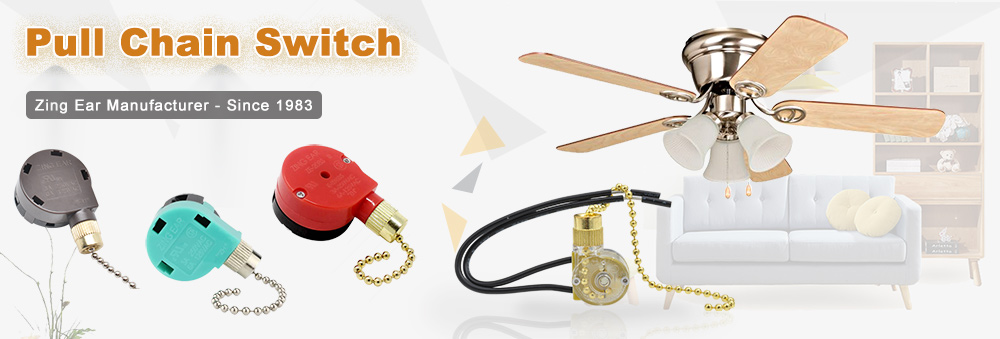
Single-Speed Fan Chains
These simple on/off switches feature two distinct positions with clear clicking sensations. Replacing them requires matching voltage and amperage ratings. If your fan has only one chain controlling both fan and light, you likely have a single-speed model with integrated lighting control.
Multi-Speed Fan Chains
Most modern fans use three-speed mechanisms where each pull advances through low, medium, and high settings before returning to off. These switches are more complex and must match your fan’s electrical specifications exactly. Some models separate fan and light control into two chains within the same housing.
Light Kit Pull Chains
Fans with integrated lighting typically have a separate pull chain just for lights. This switch operates on the same principle but controls the light circuit rather than the motor. Replacement must match your specific light kit’s wiring configuration and bulb type.
Access the Switch Housing
Locate the Switch Housing Cover
Identify the decorative cover beneath the fan motor—usually dome-shaped or cylindrical with 3-4 visible screws. This housing contains the pull chain mechanism and switch assembly. Stand comfortably on your ladder to access it without overreaching.
Remove the Housing Safely
Use the appropriate screwdriver to remove mounting screws counterclockwise, supporting the housing with your free hand as you loosen the final screw. Carefully lower the housing and set it aside, noting screw positions for reassembly. Some housings have wires connecting to the main wiring harness—handle these gently.
Document Internal Configuration
Before disconnecting anything, photograph the internal wiring setup with your smartphone. Note which wires connect to which terminals and how the chain attaches to the switch mechanism. This visual reference prevents connection errors during reassembly.
Replace the Pull Chain Assembly
Disconnect Old Switch Wires
Loosen screw terminals counterclockwise or press release tabs on push-in connectors to remove wires. Keep track of which wire connected to which terminal—matching colors isn’t always reliable. If unsure, label wires with tape before disconnecting.
Remove the Faulty Switch
Release the mounting bracket or retaining clip securing the switch mechanism. Some switches pull straight out while others require releasing a clip first. Handle carefully as old switches may have sharp edges. Extract the entire chain assembly through the housing opening.
Install the New Replacement
Feed the new chain through the housing opening before mounting the switch. Position the new switch in the same orientation as the original and secure it with the mounting hardware. Connect wires to matching terminals as documented, tightening screw terminals firmly but not excessively.
Reassemble and Test Your Work

Secure the Housing Properly
Reposition the switch housing against the fan body and hand-tighten screws before fully tightening in a star pattern. This ensures even pressure distribution and prevents housing cracks. Don’t over-tighten—snug is sufficient for plastic housings.
Test Fan Operation Thoroughly
Restore power at the breaker and test the new chain with firm, steady pulls. The fan should cycle through all speed settings with distinct clicks. Test light functions separately if applicable. Listen for unusual noises that might indicate loose components.
Verify Chain Length and Operation
Ensure the chain hangs at a comfortable length—typically 6-8 feet from the floor. Adjust by removing excess links if too long, or purchase an extension if too short. Operate the chain multiple times to confirm smooth, consistent clicking throughout its range.
Fix Common Problems After Replacement
Chain Moves Freely with No Response
Check if the switch is properly seated and the retention clip engaged. Verify all wire connections are secure and correctly positioned. Confirm you purchased the correct replacement switch for your fan model—compatibility issues are common with universal replacements.
Fan Operates but Lights Don’t Work
Ensure the wall switch controlling the light circuit is in the “on” position. Inspect wire connections at the light switch for loose or corroded terminals. You may have accidentally purchased a fan switch instead of a light switch assembly.
Intermittent Operation After Installation
Recheck all wire connections for security and correct positioning. Verify switch compatibility with your fan’s electrical specifications. Clean dust from the switch housing with compressed air—debris often causes inconsistent operation.
Extend Your New Chain’s Lifespan
Regular Inspection and Cleaning
Every 3-4 months, examine the chain for wear signs and operate it to feel for changes in clicking sensation. Clean the housing interior with compressed air to prevent dust accumulation. Gentle, steady pulls—not yanks—extend component life significantly.
Proper Operation Techniques
Pull the chain with moderate, consistent force rather than jerking motions. Ensure it hangs freely without tangling in fan blades or nearby objects. Teach children proper operation techniques to prevent rough handling damage.
Environmental Considerations
Fans in humid areas like bathrooms require more frequent maintenance. Ensure adequate ventilation to minimize moisture exposure. Dusty environments also accelerate wear—increase inspection frequency in these locations to catch problems early.
Replacing a ceiling fan pull chain ranks among the most accessible DIY repairs, requiring minimal tools and basic skills. By following proper safety protocols—especially disconnecting power at the breaker—you’ll complete this repair in under an hour. Selecting the correct replacement parts and documenting your fan’s configuration ensures reliable results that restore full functionality for years. Regular maintenance extends your new chain’s lifespan, preventing future frustrations and keeping your ceiling fan operating smoothly through seasons of use.
Leave a Reply