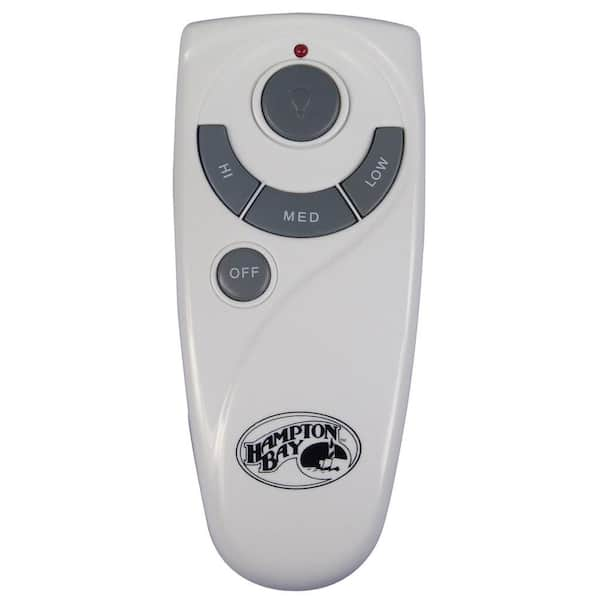
You’re standing in your living room, pressing every button on your Hampton Bay ceiling fan remote, but nothing happens. The fan won’t turn on, the light won’t respond, and you’re left wondering why this convenient wireless control suddenly stopped working. This frustrating scenario affects thousands of homeowners each year, but the good news is that most Hampton Bay ceiling fan remote issues can be resolved in under fifteen minutes with the right approach. Learning how to reset your Hampton Bay ceiling fan remote correctly saves you from unnecessary service calls and restores convenient control over your home’s comfort system.
Remote control problems typically stem from dead batteries, lost pairing after power interruptions, electrical interference, or a receiver that needs re-synchronization. Hampton Bay fans use radio frequency technology that allows wireless communication between your remote and the hidden receiver unit inside the fan housing. When this connection breaks down, your remote becomes useless. The reset process varies slightly depending on your fan’s age and model, but the core principles remain consistent across most Hampton Bay installations. This guide provides specific, actionable steps to diagnose and fix your remote control issues without professional help.
Why Your Hampton Bay Remote Suddenly Stops Working
Hampton Bay ceiling fan remotes fail for several specific reasons, and identifying the cause is the first step to fixing the problem. Understanding these common failure points helps you efficiently troubleshoot and apply the correct reset procedure for your situation.
Dead Batteries: The Most Common Culprit
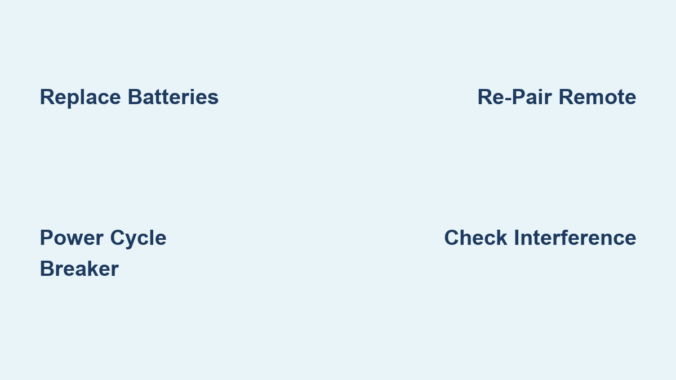
Over sixty percent of all remote control failures result from dead or improperly installed batteries. Even batteries that appear functional may have insufficient charge to transmit a strong signal to the receiver. To properly inspect your remote’s batteries, remove the battery cover and examine them for corrosion, leakage, swelling, or discoloration. These signs indicate battery failure and require immediate replacement. When installing new batteries, always use high-quality alkaline batteries rather than cheaper alternatives, as they provide more consistent voltage and are less likely to leak. Ensure correct polarity alignment by matching the positive (+) and negative (-) indicators inside the compartment with the corresponding markings on the batteries.
Lost Pairing After Power Outages
Power interruptions frequently cause Hampton Bay remotes to lose their pairing with the fan’s receiver. When electricity returns after an outage, the receiver may reset to factory settings while the remote retains its previous programming, breaking the communication link. This situation is particularly common during storm-related power fluctuations or when using the fan’s wall switch to cut power. The receiver essentially “forgets” which remote controls it, requiring you to re-establish the connection through the pairing process. If your fan worked before a recent power outage but now ignores your remote commands, lost pairing is almost certainly the issue.
Signal Interference from Household Electronics
Modern homes contain numerous devices that can interfere with your Hampton Bay remote’s radio frequency signals. Wi-Fi routers operating on 2.4 GHz networks, microwave ovens, cordless phones, baby monitors, and Bluetooth devices all emit signals that can disrupt communication between your remote and fan. Physical obstacles like thick walls with metal studs, metal ductwork, or large appliances positioned between you and the fan can also weaken or block signals. If your remote works inconsistently—sometimes responding and sometimes not—interference is likely the cause. Try operating the remote from different positions and angles to determine if specific locations provide better signal reception.
Immediate Fixes for Non-Responsive Remotes
Before attempting more complex procedures, try these quick solutions that resolve most Hampton Bay remote issues with minimal effort.
Battery Removal Reset Technique
This simple method addresses remotes that have become “stuck” in an incorrect operational state. Open the battery compartment and remove both AAA batteries completely. With the batteries out, press and hold down every button on the remote—including power, fan speed, and light control buttons—for approximately thirty seconds. This discharges residual electrical charge stored in the remote’s capacitors and clears its temporary memory. After the discharge period, insert fresh batteries with correct polarity and test the remote immediately. This technique resolves approximately sixty percent of all remote control issues and should always be your first troubleshooting step.
Confirming Remote Functionality with Your Phone Camera
Many smartphone cameras can detect infrared signals invisible to the naked eye. Point your remote at your phone camera and press any button—if you see a faint light flashing through your phone screen, your remote is transmitting signals but the receiver isn’t responding. This test confirms whether the problem lies with the remote or the fan’s receiver unit, saving you time on unnecessary troubleshooting steps. If no light appears during this test, the remote itself is likely faulty and may need replacement.
Power Cycle Your Ceiling Fan System
When simple battery replacements don’t restore remote functionality, power cycling the entire fan system often resolves stubborn communication issues.
Circuit Breaker Reset Procedure
Locate the circuit breaker controlling power to your ceiling fan circuit and switch it to the OFF position. Leave it off for a minimum of thirty seconds—this duration allows the fan’s internal receiver to fully discharge and reset its programming memory. Some persistent cases may require waiting up to one full minute, especially after power surges. After the waiting period, switch the breaker back to ON and wait ten to fifteen seconds for the receiver to initialize before testing the remote. This step is crucial after power outages, as it clears any error states in the receiver unit that prevent proper communication with your remote.
Re-Pairing Remote with Fan Receiver

If power cycling doesn’t restore functionality, you’ll need to re-establish the communication link between your remote and the fan’s receiver unit.
Locating the Receiver’s “Learn” Button
Safety first: turn off power at the circuit breaker before accessing the receiver. Using a stable ladder, remove the canopy cover (typically secured by screws on the side of the mounting bracket) to expose the fan’s internal components. The receiver unit is usually mounted on the motor housing and contains a small “Learn” or “Pair” button, often recessed and requiring a paperclip to press. This button may be labeled with an antenna icon or the word “SET.”
Step-by-Step Pairing Instructions
With power restored at the circuit breaker, press and hold the “Learn” button on the receiver for three to five seconds until the indicator light begins blinking. Within thirty seconds of the light blinking, press and hold any button on your remote—the “On” button works well. Continue holding until the fan responds (light blinks or blades move slightly), then release and test all functions. Successful pairing is confirmed when the fan responds to multiple remote commands—if it doesn’t work, repeat the process ensuring you complete each step within the required time frames.
Diagnosing Persistent Remote Control Issues

When basic resets fail, systematic troubleshooting identifies the root cause of your remote control problems.
Checking for Electronic Interference
Temporarily turn off other wireless devices in the vicinity—Wi-Fi routers, microwaves, cordless phones—to see if remote functionality improves. If the remote works when these devices are off, you’ve identified the source of interference. For permanent solutions, consider relocating interfering devices or using a remote signal booster designed for ceiling fans. Test your remote from various positions with clear line of sight to the fan, as physical obstructions often cause inconsistent performance.
Inspecting Receiver Unit for Damage
With power off at the breaker, carefully examine the receiver for burn marks, discoloration, melted plastic, or swollen components. These indicate electrical damage requiring component replacement. Verify all wiring connections are secure with no bare wire exposed beyond wire nuts. Check if the receiver has a visible antenna wire—this should be fully extended and undamaged, as a compromised antenna significantly reduces signal reception.
Preventing Future Remote Control Failures
Proactive maintenance prevents most remote issues before they disrupt your comfort.
Regular Battery Maintenance Schedule
Establish a battery inspection routine, checking every six months. When replacing batteries, clean corroded contacts with a cotton swab dipped in white vinegar, followed by thorough drying. Always use high-quality alkaline batteries and avoid mixing old and new batteries in the same remote. Replace batteries annually as preventive maintenance, even if they appear functional—weak batteries can cause intermittent issues that are difficult to diagnose.
Optimizing Signal Range and Environment
Most Hampton Bay remotes work reliably within twenty to thirty feet in standard homes, but actual range varies based on building materials. For fans in large rooms or high ceilings, ensure clear line of sight when operating the remote. Keep the remote’s signal path free from large metal objects, and consider a signal booster if structural features permanently limit range. In humid environments like kitchens and bathrooms, verify your fan is rated for damp locations, as moisture exposure can damage receiver components over time.
By following these specific reset procedures and maintenance practices, you can resolve most Hampton Bay ceiling fan remote issues without professional assistance. Remember that battery replacement and power cycling solve the majority of problems, while re-pairing addresses communication breakdowns after power interruptions. For persistent issues, systematic troubleshooting identifies whether the remote, receiver, or environmental factors require attention. With proper care and understanding of your fan’s control system, you’ll maintain reliable wireless operation for years to come.
Leave a Reply