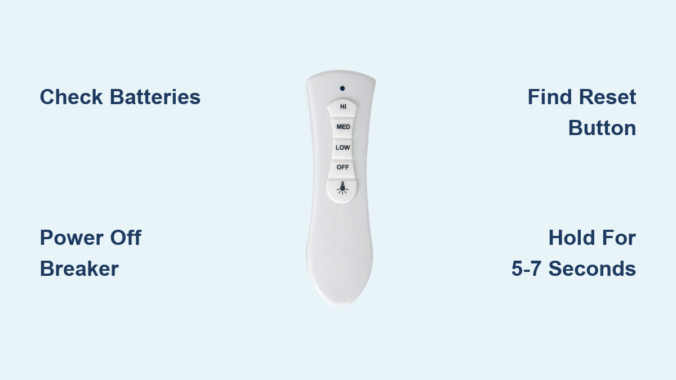
You’re relaxing in your living room when you reach for your Lucci ceiling fan remote to adjust the speed, only to find it completely unresponsive. The fan continues to run at full blast while you’re sweating through another uncomfortable night. Before you call an electrician or consider replacing your entire fan system, there’s a simple solution that fixes most remote control issues: properly resetting your Lucci ceiling fan remote. This common problem affects thousands of homeowners each year and typically resolves with a straightforward reset procedure that takes less than ten minutes. In this guide, you’ll learn exactly how to reset your Lucci ceiling fan remote, identify why the connection failed in the first place, and implement preventive measures to avoid future frustrations.
Understanding why your Lucci ceiling fan remote suddenly stops working brings peace of mind. These remotes communicate with a receiver inside your fan using radio frequency signals that can become disrupted during power outages, after battery replacements, or due to interference from other electronic devices. The good news is that in 90% of cases, this isn’t a sign of permanent damage but rather a temporary disconnect that requires simple re-synchronization. By following the specific reset process outlined below, you’ll restore full control over your fan speed, lighting functions, and direction without needing professional assistance or expensive replacements.
Signs Your Remote Needs Resetting
Your Lucci ceiling fan remote will send clear signals when it’s time for a reset. Recognizing these specific symptoms helps you determine whether resetting is the appropriate solution rather than replacing components unnecessarily.
Remote Won’t Respond at All
When pressing any button yields zero response—no fan speed changes, no light adjustments, and no indicator light activation—you’re facing a complete communication breakdown between remote and receiver. This total failure typically occurs after power surges or when the pairing frequency has become completely unsynchronized. Unlike intermittent issues that might indicate weak batteries, a completely unresponsive remote almost always requires a full reset procedure to reestablish the communication channel.
Intermittent Response Problems
Your remote might work perfectly when you’re standing directly beneath the fan but fail when you move to the opposite side of the room. Or perhaps the fan responds to speed changes but ignores light control commands. These inconsistent behaviors often manifest as the remote working for a few minutes after battery replacement before failing again. This pattern indicates a weak or unstable connection that resetting will typically strengthen, restoring reliable operation throughout your entire room.
Indicator Light Behavior
Most Lucci remotes feature a small LED indicator light near the top that should flash when buttons are pressed. If this light illuminates brightly but the fan doesn’t respond, you’ve confirmed the remote is transmitting signals but the receiver isn’t acknowledging them—definitely a pairing issue. However, if the light appears dim or flickers erratically, you’re likely dealing with weak batteries that need replacement before attempting a reset. A completely dark indicator light after fresh battery installation strongly suggests a reset is necessary.
Check and Replace Batteries Before Resetting
Battery issues cause more remote malfunctions than actual pairing problems, so thorough battery verification should always precede reset attempts.
Inspect the Indicator Light
After inserting fresh batteries, press any button while watching the indicator light closely. A healthy remote will produce a bright, consistent flash. If the light appears dim or inconsistent, remove the batteries and clean the metal contacts inside the remote with a cotton swab dipped in rubbing alcohol. Corroded or dirty contacts prevent proper electrical connection even with new batteries, mimicking pairing issues that don’t actually exist.
Verify Battery Positioning
Many users unknowingly install batteries backward in the small compartment. The positive (+) end should align with the spring mechanism, while the negative (-) end contacts the flat terminal. Gently press each battery to ensure they’re fully seated and not loose—a common problem that causes intermittent functionality. For Lucci remotes using CR2032 coin batteries, ensure the flat side faces down with the writing visible when installed.
Select Quality Replacement Batteries
Opt for alkaline batteries from reputable brands rather than cheap zinc-carbon alternatives, which deplete faster and are more prone to leakage. For remotes used frequently, consider lithium batteries that maintain consistent voltage throughout their lifespan. After installation, test the remote immediately from various positions in the room. If functionality returns without resetting, you’ve solved the problem with minimal effort.
Power Off Before Resetting

Proper power disconnection is critical for a successful reset but often performed incorrectly by homeowners.
Turn Off at the Circuit Breaker
While turning off the wall switch seems sufficient, many installations maintain partial power to the fan receiver through alternative wiring paths. For a complete reset, locate the correct circuit breaker—typically labeled “living room” or “bedroom”—and flip it to the OFF position. If uncertain which breaker controls your fan, turn off the main breaker temporarily. This ensures the fan’s receiver fully powers down, allowing capacitors to discharge completely.
Wait the Full Minute
Impatience causes many reset failures. The one-minute waiting period allows residual electricity in the receiver’s capacitors to dissipate completely. Set a timer to ensure you don’t rush this step. During this minute, check that no lights remain illuminated on the fan fixture—any visible light indicates incomplete power disconnection requiring further investigation of your electrical setup.
Restore Power Systematically
After the waiting period, flip the breaker back on while watching the fan closely. You should hear a distinct “click” from the receiver unit inside the fan housing as it powers up. Some Lucci models cause the fan light to flash briefly or the blades to rotate slowly for a few seconds upon power restoration—these are positive signs the receiver is ready for pairing.
Locate the Reset Button

Finding the reset button can be challenging on certain Lucci models due to varying designs.
Check the Remote Face
On newer Lucci remotes, the reset button often appears as a small pinhole beneath the speed control buttons, requiring a paperclip to press. Look for tiny text reading “RESET” or a circular arrow symbol nearby. Some models feature a recessed button between the light and fan controls that requires firm pressure to activate.
Examine the Battery Compartment
Remove the battery cover and inspect the interior surface. Many Lucci remotes position the reset button on the plastic housing inside the compartment, often labeled “PAIR” with a circular arrow icon. This location prevents accidental activation while allowing easy access when needed.
Check Along the Edges
Run your finger along all edges of the remote while feeling for a small indentation. Some Lucci models hide the reset button along the top edge, accessible only when holding the remote sideways. This design prevents accidental presses during normal use while keeping the button available when required.
Complete the Reset Procedure
Executing the reset correctly makes all the difference between success and frustration.
Press and Hold Firmly
Use a paperclip or toothpick to press the reset button fully and hold it continuously for 5-7 seconds. Many users release too soon—wait until you see or hear confirmation before letting go. Maintain steady pressure; wiggling the tool can break contact prematurely.
Watch and Listen for Confirmation
Successful pairing triggers one of three responses: the fan light will flash rapidly three times, you’ll hear three distinct beeps from the receiver, or the fan blades will rotate slowly for 10-15 seconds. These signals confirm the reset process has completed successfully. If none occur after 10 seconds, repeat the procedure.
Release and Test
After receiving confirmation, release the reset button and wait 15 seconds for the system to stabilize. Begin testing with the fan speed controls before moving to lighting functions. Test each speed setting individually to ensure smooth transitions between levels.
Troubleshoot Persistent Issues
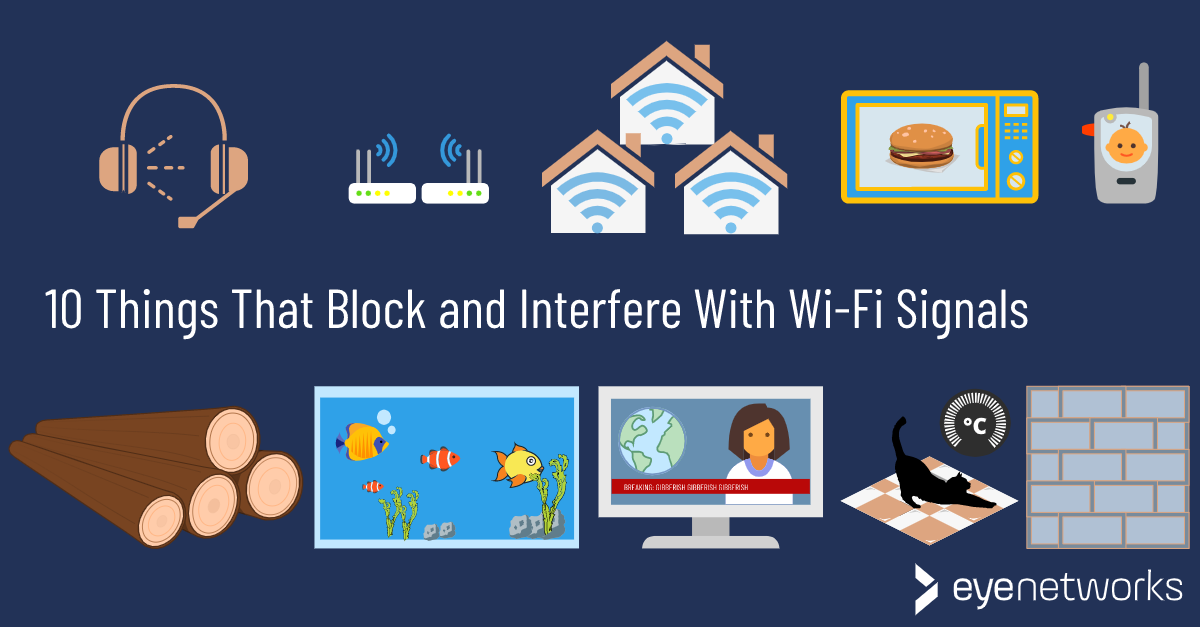
When standard reset procedures fail, these advanced troubleshooting techniques often succeed.
Address Signal Interference
Move potential interference sources at least 6 feet from the fan receiver—including Wi-Fi routers, cordless phone bases, and Bluetooth speakers. Test the remote during off-peak internet usage hours when Wi-Fi congestion is minimal. For severe interference issues, consider installing a signal repeater between the remote and fan.
Consider Model-Specific Variations
Older Lucci models may require holding the reset button until the fan light flashes steadily rather than in bursts. Some models need additional steps: press the reset button, then immediately press the “light on” button three times. Consult YouTube for model-specific video demonstrations if written instructions fail.
Evaluate the Receiver Unit
If multiple remotes fail with the same fan while the wall switch operates correctly, the receiver module likely needs replacement. Access the receiver by removing the fan’s canopy cover—look for a small black box with wire connections. Replacement receivers cost $15-25 online and install in minutes with basic electrical knowledge.
Prevent Future Remote Issues
Implement these proactive measures to minimize future reset needs.
Replace batteries every spring and fall as part of your seasonal home maintenance routine, rather than waiting for complete failure. Store your remote in a designated spot away from direct sunlight and moisture sources—bathrooms and kitchens create humidity that damages electronics over time. During thunderstorms, turn off the fan at the wall switch to protect against power surges that disrupt pairing.
Consider installing a wall-mounted remote holder near your favorite seating area to prevent accidental drops that damage internal components. If you have children, enable any child-lock features your Lucci model offers to prevent accidental button presses that drain batteries or disrupt pairing.
When your Lucci ceiling fan remote stops responding, remember that resetting typically solves the problem in under ten minutes with no special tools required. By methodically checking batteries first, properly disconnecting power, locating the reset button, and verifying functionality afterward, you’ll maintain convenient control of your ceiling fan year-round. If standard procedures fail after three attempts, consult Lucci’s customer support with your model number ready—they often provide model-specific video guides that clarify confusing steps. With these techniques in your home maintenance toolkit, you’ll never suffer through another uncomfortable night waiting for professional help when simple remote reset procedures could have restored your comfort immediately.
Leave a Reply