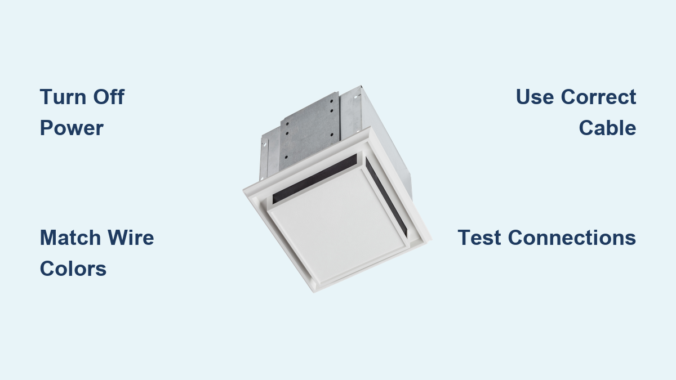
Wiring a Broan exhaust fan correctly ensures safe, efficient bathroom ventilation and compliance with electrical codes. Whether replacing an old unit or installing a new smart model with humidity sensing or continuous run features, proper wiring is essential. This guide walks through every step, from safety prep and mounting to model-specific wiring and final troubleshooting.
By the end, you will know exactly how to match wires, configure switches, and test your system for full functionality across all Broan models.
Safety First: Power Off and Prep
Before touching any wires, verify the workspace is safe and code-compliant. Electricity in bathrooms requires extra caution due to moisture and GFCI requirements.
Shut Off Power at the Breaker
Turn off the circuit breaker supplying power to the bathroom. Use a non-contact voltage tester at the ceiling box to confirm no live current exists. Lock or tag the breaker to prevent accidental re-energizing. If the circuit includes GFCI outlets, test and reset them after power restoration.
Never assume the switch cuts all power. Always verify at the source.
Gather Required Tools and Materials
Ensure you have these items before starting:
Wire strippers for 14 to 12 AWG wire, screwdrivers and an impact driver, 1-5/8 inch deck screws for housing, UL-listed wire nuts and electrical tape, a strain relief connector for NM cable entry, 3M duct tape for sealing ducts, and correct NM-B cable. Use 14/2 for 15-amp circuits, 12/2 for heaters or 20-amp circuits, and 14/3 for independent fan and light control.
Confirm Code Compliance
All wiring must follow NEC and IRC standards. Exhaust must vent outside, not into the attic. GFCI protection is required if the circuit powers outlets. Use junction box-rated housing, which Broan units include.
Mount the Fan Housing Securely

A stable mount ensures quiet operation and safe wire access. Proper installation also prevents vibrations that can loosen connections over time.
Position for Optimal Venting
Install near the ceiling center, ideally over the shower or tub. Align with joists or rafters for support. Plan the shortest, straightest duct path to the roof or wall.
Secure the Metal Housing
Bend up side flaps on the housing to fit between joists. Mark screw holes on adjacent joists. Drive 1-5/8 inch deck screws partially, slide unit in, then fully tighten. Bend flanges down after installation to avoid drywall interference.
The housing cover doubles as a junction box, so all wiring happens inside.
Connect the Duct Early
Slide 3-inch flexible aluminum duct onto the outlet. Secure with a snap-lock clamp or metal band. Seal with 3M duct tape, wrapping fully and leaving a tab for future removal. Route duct toward exterior termination with no kinks or sags.
Broan 688: Fan-Only Wiring (Single Switch)
The 688 model works best for small bathrooms up to 80 square feet. This basic fan-only configuration uses a single switch.
Model Specs at a Glance
This unit delivers 50 CFM at 4.0 sone. It uses 3-inch duct and requires 14/2 NM-B cable.
Wiring Steps
Run 14/2 cable from switch to fan housing. Inside the junction box, connect black (hot) to fan black, white (neutral) to fan white, and bare copper (ground) to fan green. Secure with wire nuts, wrap in electrical tape, and tuck wires neatly before reinstalling the cover.
The fan runs only when the switch is on.
Broan 678: Fan and Light with Dual Control

This model allows independent operation of fan and light through separate switches. It is ideal for bathrooms where lighting and ventilation need separate control.
Identify the Wires
Black powers the fan motor, blue powers the light, two white wires provide neutral, and green is ground. All must be connected properly for the system to work.
Dual-Switch Wiring Setup
Connect constant hot by splicing incoming black to white wires from both switches (marked with black tape) and to the black of any outlet or vanity light. Complete the neutral path by connecting switched white to both fan white wires, outlet white, and vanity light white. Link fan switch black to fan black and light switch black to fan blue. Ground all components by tying all ground wires together.
The fan and light now operate separately, and the outlet stays powered.
Broan 162: Fan, Light, and Heater Wiring
This model provides supplemental heat for cold climates. It requires a dual-function switch with separate red and black terminals.
Key Wires
Red powers the heater, blue controls fan and light, white is neutral, and green is ground.
Use a Dual-Function Switch
Feed 12/2 or 14/2 cable into the switch box. Connect incoming black to the switch hot terminal and incoming white spliced with unit white. Bond all grounds together. Connect switch red terminal to unit red (heater) and switch black terminal to unit blue (fan and light).
The heater and fan/light run independently.
AER110LK: LED Fan/Light (Single Switch)
This modern model features integrated LED lighting. By default, the fan and light operate together through a single switch.
Default Wiring (Single Switch)
Splice switch black with fan black and light black. Splice switch white with fan white and light white. Tie all grounds to green.
Both light and fan turn on together when the switch is activated.
Upgrade to Independent Control
Replace 14/2 with 14/3 cable (black, red, white, ground). Install a dual rocker switch. Connect black wire to fan via switch terminal and red wire to light via the second terminal. Tie all whites to neutral and bond all grounds.
You can now control fan and light separately.
AE110SL: Humidity-Sensing Fan Wiring
This smart model automatically runs the fan when bathroom moisture reaches a set level. It uses a humidity sensor to detect excess moisture.
Internal Wires
Black powers the light, brown controls the humidity sensor (auto fan), gray provides manual fan control, white is neutral, and green is ground.
Option A: Dual Switch (Light Plus Manual Fan)
Connect top switch to black (light) and bottom switch to gray (manual fan). Cap the brown wire to disable humidity sensing.
Humidity sensing is disabled with this configuration.
Option B: Three-Switch (Full Automation)
Connect switch one to black (light), switch two to gray (manual fan), and switch three to brown (auto/humidity). Tie all whites together and ground the green wire.
This enables auto fan, manual fan, and light, all operating independently.
Never cap the brown wire if you want humidity sensing enabled.
LP510R: Continuous Run Fan Wiring
This model provides energy-efficient always-on ventilation. It runs continuously at a preset speed to maintain air quality.
Set Dip Switch First
Inside the housing, set the dip switches. A equals 50 CFM, B equals 80 CFM, and C equals 100 CFM. Choose one speed, as it remains fixed.
Single-Switch Wiring
Splice switch black to fan black and brown. Connect switch white to fan white. Ground the fan green.
The fan runs continuously when powered. The DC motor may pause 1 to 2 seconds at startup, which is normal.
Evolve Series: PTEL511RK Programmable Fan

This advanced model offers boost, delay, and nightlight features. It provides the most control options for modern bathrooms.
Controller Dials Explained
The right dial sets CFM (fan speed). The middle dial enables continuous run. The left dial sets the delay timer (post-use run time).
Boost only works if continuous run is ON. This is critical for proper operation.
Required Cables
Use 143 cable to power the controller and light. Use 142 cable to send the boost signal.
Three-Switch Setup (Recommended)
The top switch powers the controller, enabling nightlight and continuous run. The second switch provides boost for temporary high speed. The third switch controls the task light.
Wiring Connections
Tie all white wires (neutrals) together and all green wires (grounds) together. For 143 cable, connect red to black of 3-pin Molex (task light) and black to blue of 3-pin and black of 4-pin Molex (powers controller and continuous run). For 142 cable, connect black to red wire of 4-pin Molex (boost input).
If the top switch is off, boost fails because continuous run must stay powered.
Universal Wiring Rules
These principles apply to all Broan models. Following them prevents mistakes and ensures safe operation.
Wire Color Functions
Black carries hot (fan, light, heater). Blue indicates light or nightlight. White is neutral and always ties together. Green or bare copper is ground and bonds all components. Red carries switched hot (heater, boost). Brown or gray is model-specific (humidity, manual fan).
Never connect a taped white wire (used as hot) directly to neutral.
Switch Loop Best Practices
In switch loops, white is often hot. Mark it with black tape. Use pigtails for neutrals and grounds, and test all wires with a voltage tester before connecting.
Secure All Connections
Use correctly sized wire nuts. Pull-test each connection. Wrap with electrical tape. Tuck wires without pinching.
Duct Installation: Maximize Airflow

Even perfect wiring fails with poor ducting. Proper duct installation ensures the fan performs at its rated CFM.
Duct Specs
Use 3-inch diameter flex or rigid duct. Maximum length is 25 feet. Each 90-degree bend equals 5 feet of lost efficiency. Avoid kinks, sags, and compression.
Installation Steps
Flatten the end of flex duct and slide onto the fan outlet. Clamp with snap-lock or metal band. Seal with 3M duct tape, wrapping fully. Route to exterior termination. Connect to metal pipe stub and seal with tape.
Exterior Vent Cap
The vent cap must have a backdraft damper (flaps open when fan runs). This prevents rain, snow, and pests. Never vent into attic, soffit, or crawlspace.
Troubleshooting Common Issues
Fix problems before they become safety hazards. These solutions cover the most frequent issues.
Fan Will Not Turn On
Check for loose black (hot) wire. Test voltage at the switch and fan. Verify power at the breaker and GFCI.
Light Works, Fan Does Not
On Evolve models, check if continuous run is off. Test the fan motor wire and inspect for cuts.
Excessive Noise
Tighten housing screws. Secure the duct to prevent vibration. Check for debris in fan blades.
Humidity Sensor Not Working
If the brown wire is capped, uncap it. If the auto switch is off, turn it on. Verify power reaches the controller.
Boost Function Fails
If continuous run is off, turn on the top switch. Verify 142 cable is correctly wired to red (4-pin Molex).
Final Checks and Maintenance
Ensure long-term performance with proper testing and upkeep.
Post-Installation Tests
Restore power and test all switches. Feel airflow at the exterior vent. Confirm the damper opens. Listen for unusual noises. Check duct joints for leaks.
Maintenance Schedule
Monthly, clean the grille with soapy water. Annually, vacuum fan blades and housing. Every five years, inspect duct for nests and moisture.
Warranty Notes
Motor carries a limited lifetime warranty. Electrical parts carry 1 to 5 years. Register online for full coverage.
Frequently Asked Questions About Wiring a Broan Exhaust Fan
What wire size is needed for a Broan exhaust fan?
Most Broan fans use 14/2 NM-B cable for 15-amp circuits. Use 12/2 for heaters or 20-amp circuits. Use 14/3 when running separate switches for fan and light.
Can I control my Broan fan and light separately?
Yes, for models like the 678 and AER110LK, you can upgrade to 14/3 cable and install a dual rocker switch. This allows independent on/off control of fan and light.
How do I wire a Broan humidity-sensing fan?
Connect the brown wire to a dedicated switch for automatic operation. Use a three-switch setup to enable light, manual fan, and auto humidity sensing. Never cap the brown wire if you want the sensor active.
Why is my Broan fan not working after installation?
Check that all wire connections are secure, especially the black (hot) and white (neutral) wires. Verify the breaker is on and test the GFCI outlet if one exists on the same circuit.
Does a Broan exhaust fan need a dedicated circuit?
It depends on the amp draw. Most fan-only units can share a bathroom circuit. Heater units and large fans may require dedicated circuits. Check the manufacturer’s specifications and local code requirements.
Can I install a Broan fan myself, or do I need an electrician?
DIY installation is possible for basic models if you follow code and safety procedures. For heater circuits, complex automation, or if you are unsure about wiring, hire a licensed electrician.
Key Takeaways for Wiring Your Broan Exhaust Fan
Wiring a Broan exhaust fan requires matching wire colors correctly and understanding your model is specific features. Always turn off power at the breaker and verify with a voltage tester before working. Use the correct cable gauge (14/2, 12/2, or 14/3) based on your circuit and control needs.
For basic fans like the 688, a simple single-switch setup works. For advanced features like humidity sensing or programmable boost, follow the model-specific wiring sections in this guide. Test all functions after installation and perform annual maintenance to keep your fan running efficiently for years.
Leave a Reply